
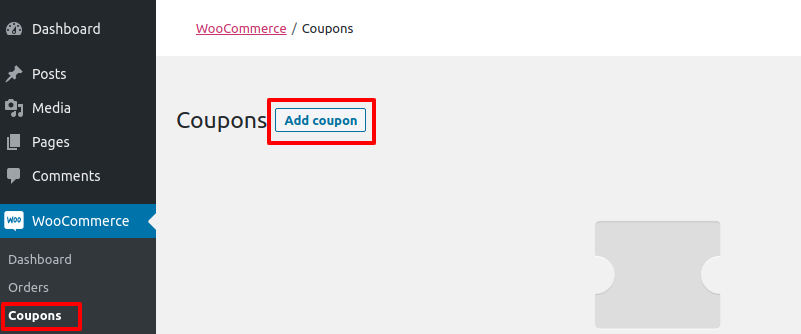
Creating a discount or promotional coupon in WooCommerce is very simnple and built into the core system. With this flexible feature you can offer users money off vouchers by either a percentage or a fixed amount, or offer discounts or even free shipping. I also use this feature to create 99% discount coupons when I’m doing a quick checkout test on a live environment.
Login to your WordPress / WooCommerce dashboard
How to: How to Login to your WordPress Website
Navigate to Coupons Section
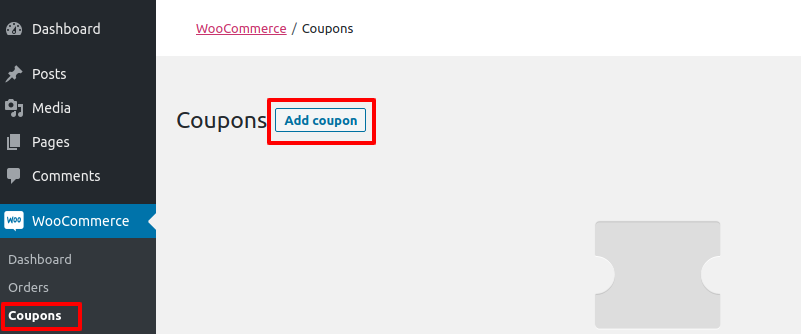
Navigate to WooCommerce > Coupons and select Add coupon
Fill in the coupon details
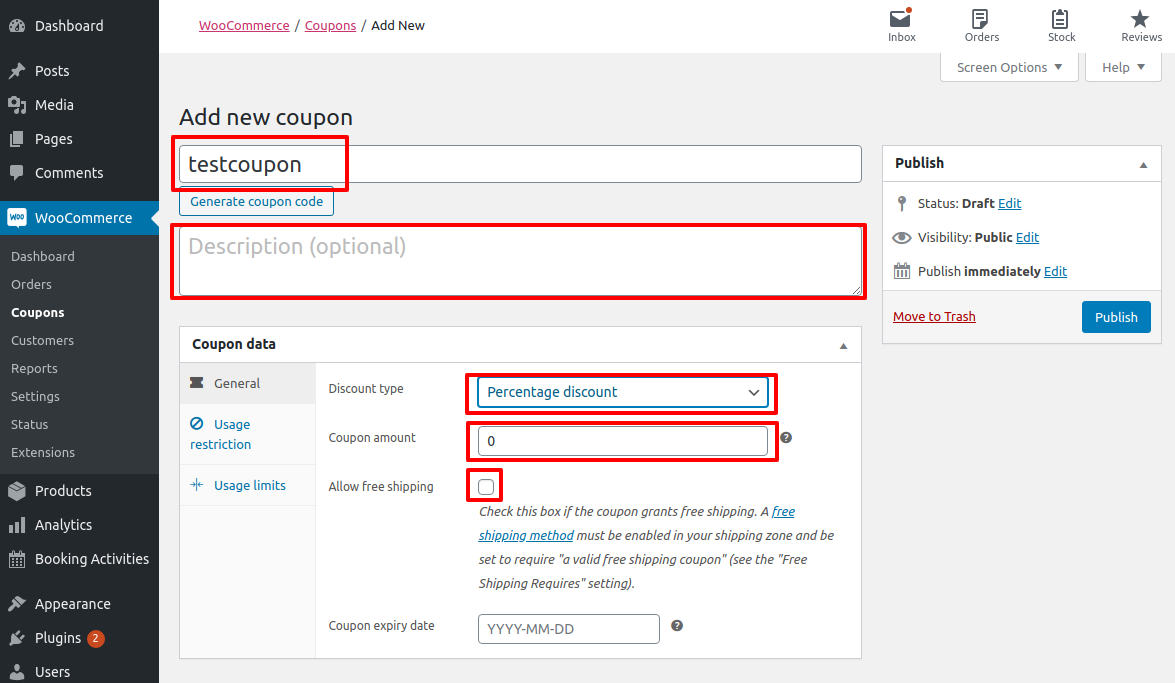
- Add a name
- Add a description (optional)
- Choose a Discount type:
- Percentage discount – This will reduce the total cart value by a specified percentage (eg 10%)
- Fixed cart discount – This will reduce the cart value by a specific monetary amount (eg (£5)
- Fixed product discount – This will provide a discount for specific products only (eg £5 off white T-shirt). If you choose this discount type, you will specify the products in the next step
Optional: If you would like to offer free shipping, tick Free Shipping box
Optional: Set a coupon expiry date
Add coupon restrictions
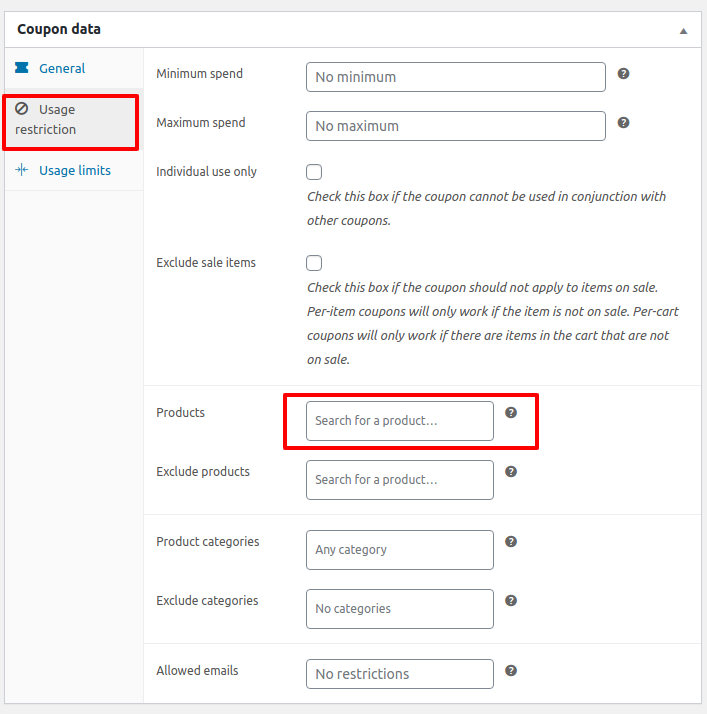
If you would like to add restrictions to the coupon usages (eg apply to specific products only, only allow usage by a specific user or between specified dates, you can add these details in the Usage restrictions tab.
Don’t Forget
Once your coupon is setup, don’t forget to hit Publish . Your visitors will now be able to enter the coupon code in the basket or at checkout to receive your discount