
Featured Products are a useful tool in WooCommerce for giving certain products additional visibility on your site. WooCommerce themes will often provide sections on the site (eg on the Home Page) for the display of Featured Products, and some will add a star or other indicator to let you know these products are of special interest.
Marking a product as a featured product is very easy.
From the WooCommerce Product Index
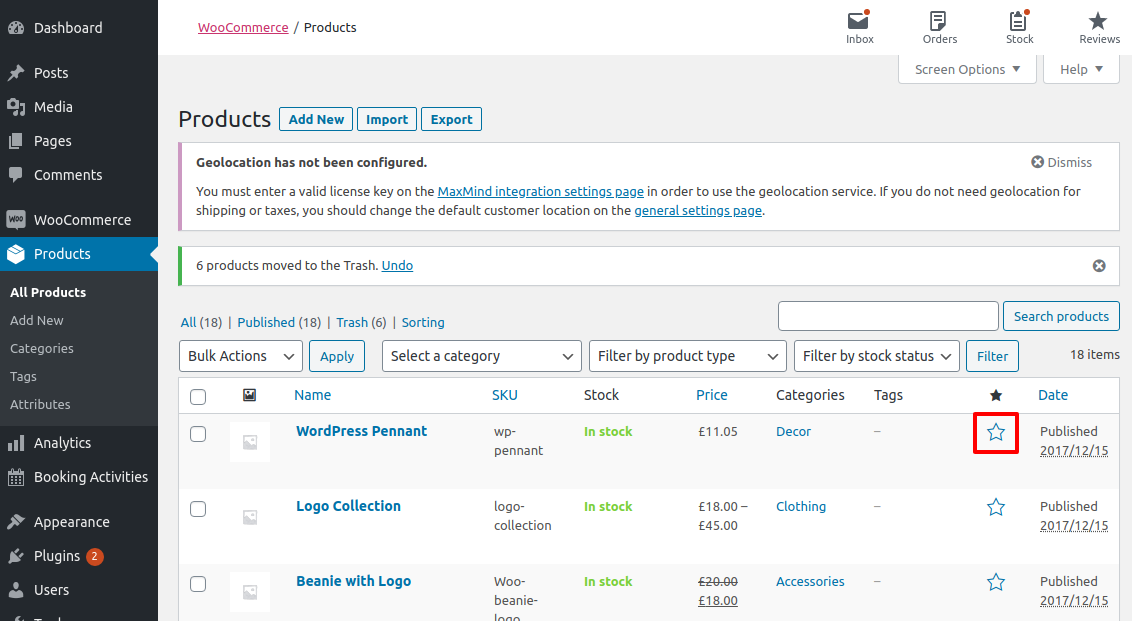
Setting a product as featured from the WooCommerce Product index is super simple!
- Navigate to your WordPress dashboard and select
Products - Locate the product you wish to feature and click the star icon
If the star column is missing from the WooCommerce Product Index, so the guide below to fix.
From the Product Management Page
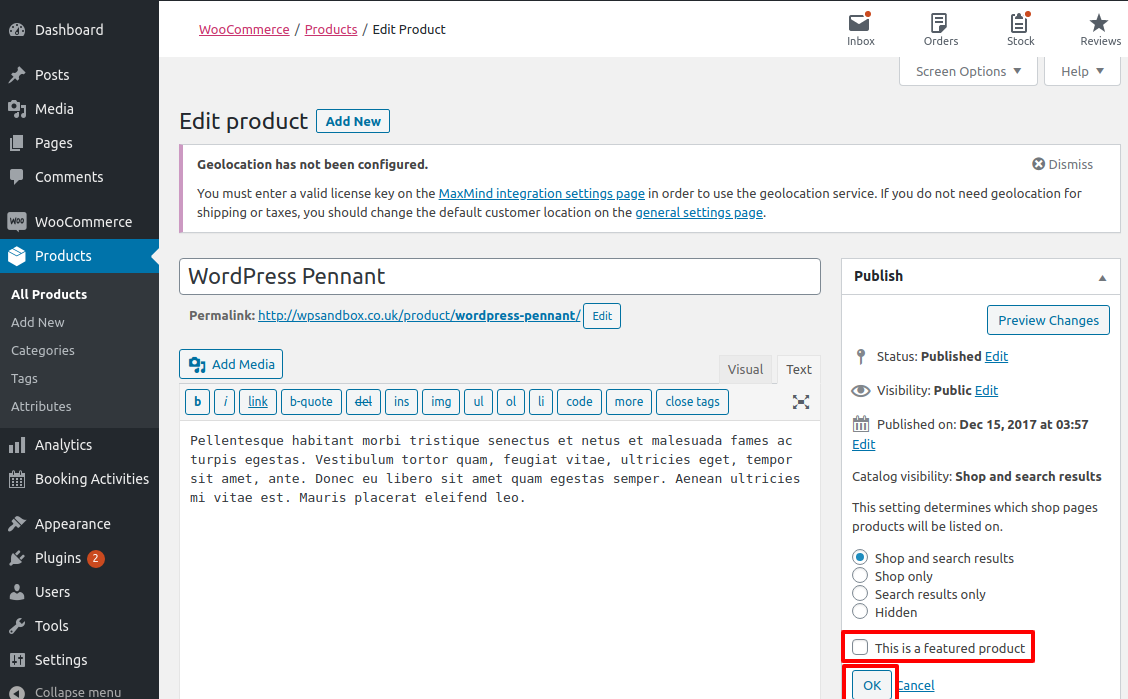
This requires an extra step but is also quite simple:
- Navigate to your WordPress dashboard and select
Products - Locate the product you wish to feature, hover over the title and select Edit
- Locate the
Catalogue and Visibilitysettings and click Edit - Select the checkbox marked
This is a featured product - Don’t forget to click Update to save your settings