
Login to your WordPress Dashboard
How to: How to Login to your WordPress Website
Navigate to Appearance > Menus
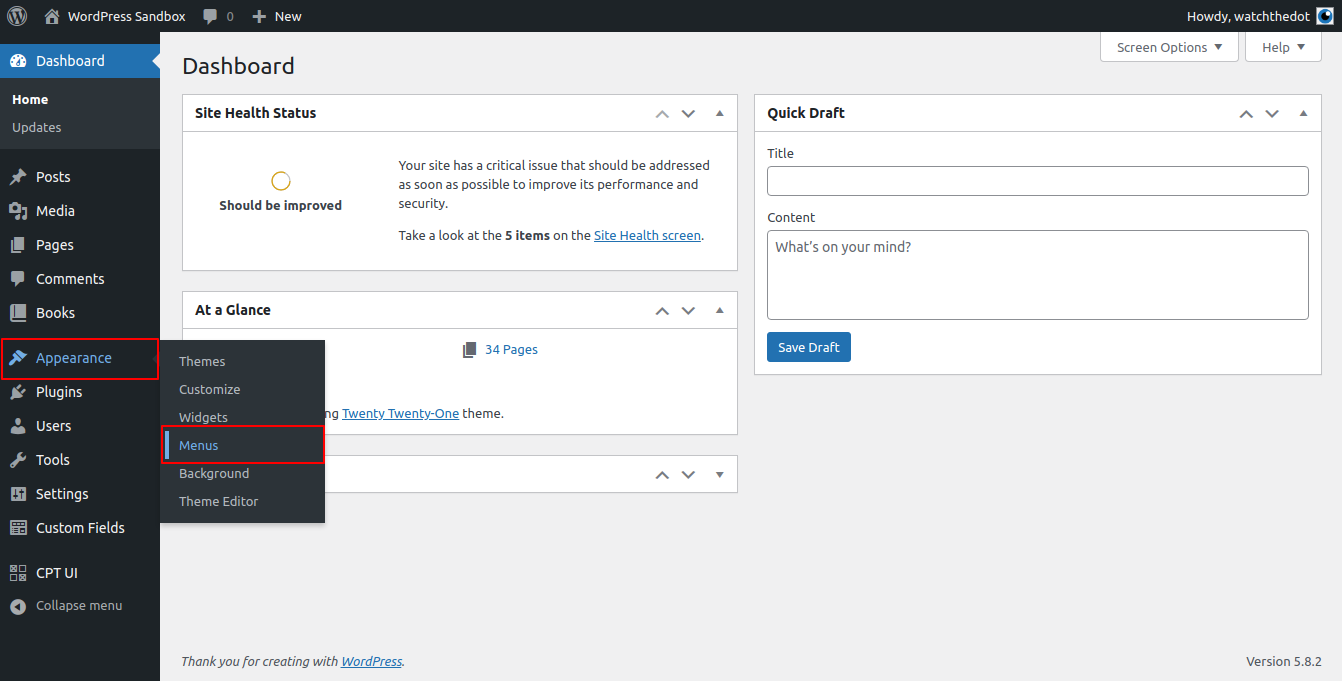
If you are unable to locate this menu item, you may not have the correct permissions level. You need to be a website Administrator to edit menus.
Locate and select the menu you wish to edit
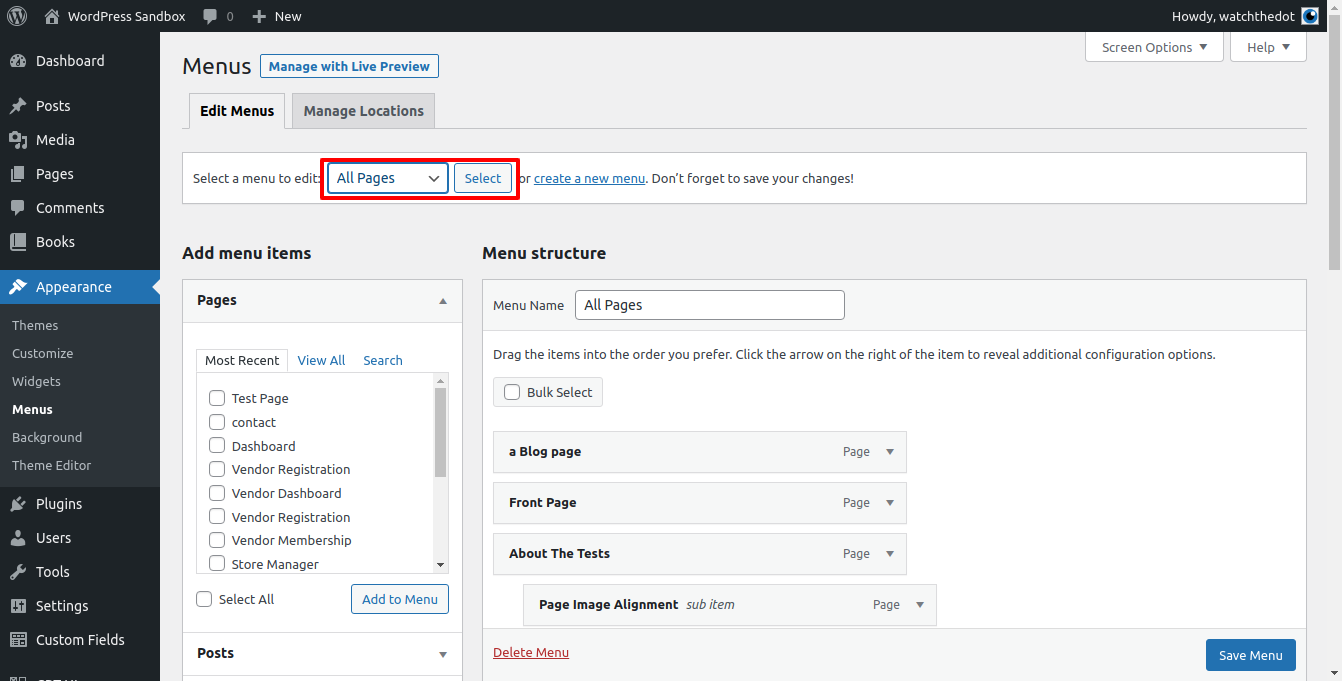
Select items and add to the menu
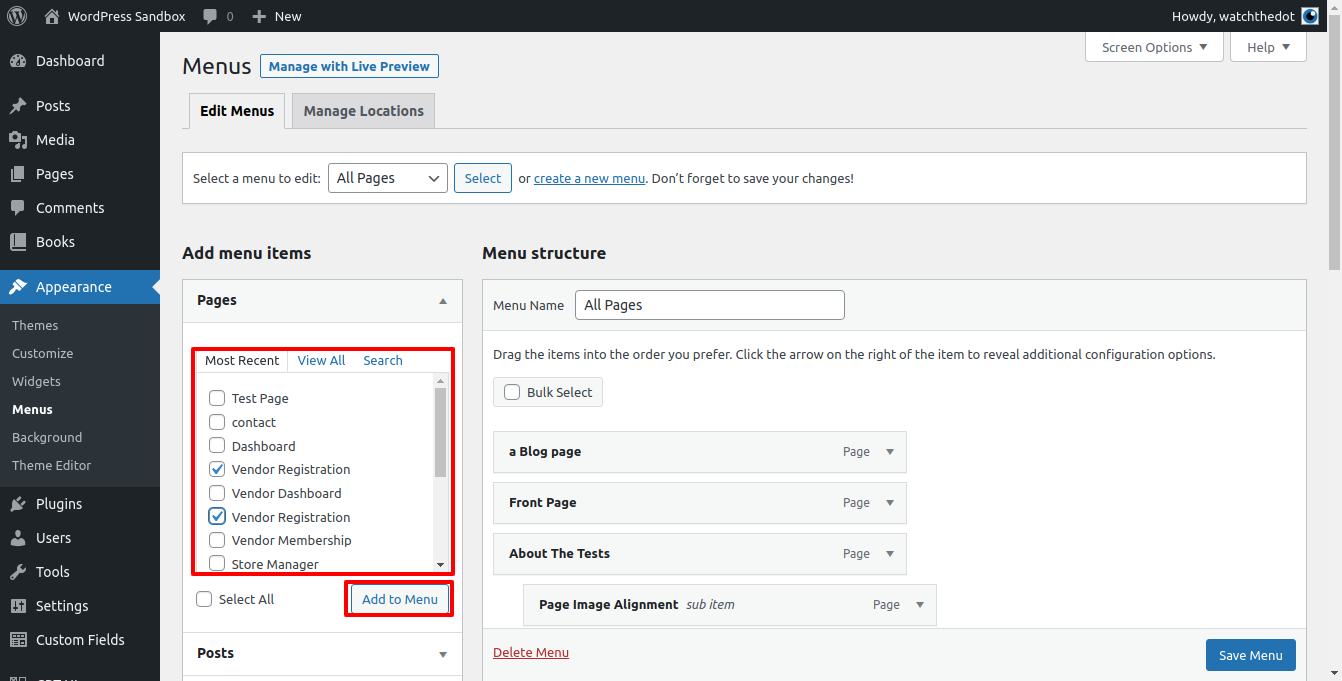
You can locate and select items you wish to add to the menu from the options given in the left hand selection boxes. Items will appear at the bottom of the menu list.
Drag and Drop the item to the correct position in the menu
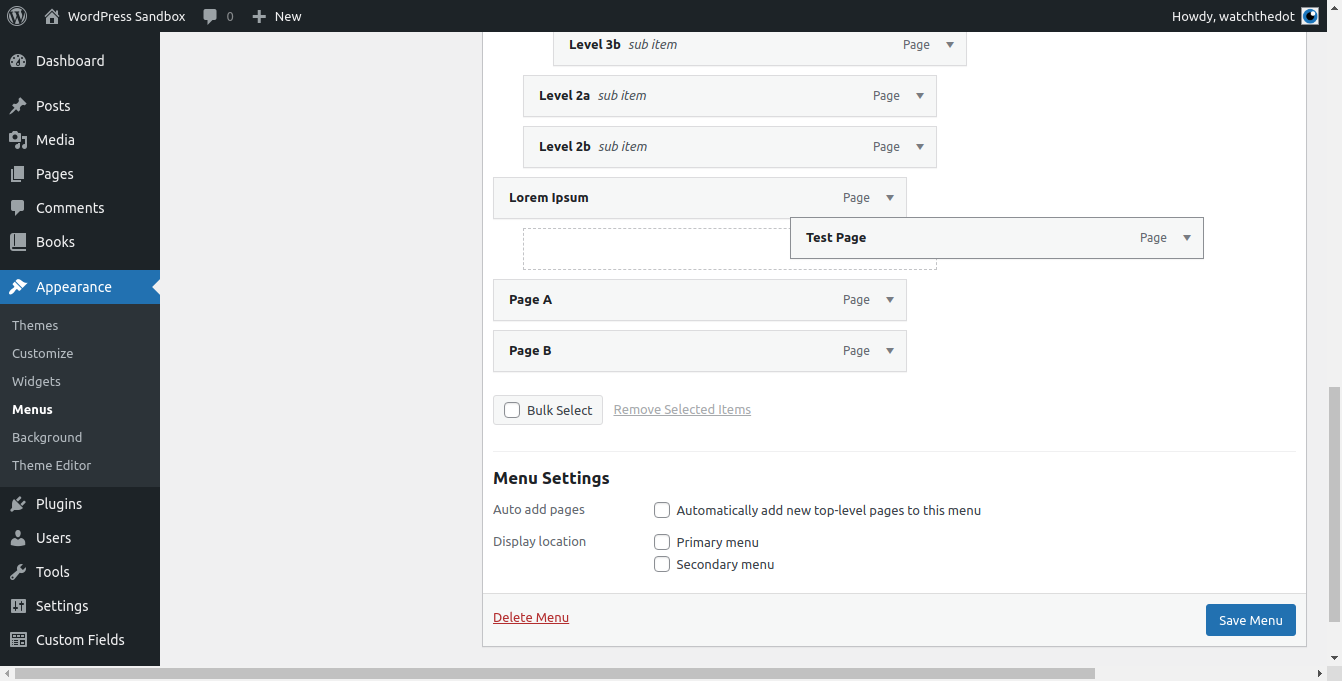
You can drag and drop the menu item to the correct location in the menu. You can create drop down menus by indenting the item underneath another menu item