
If you require assistance with your Wix website you can delegate access to us for management. You retain access, do not need to share your passwords and can remove access at any time
Login to your Wix Account

Login to your wix.com account at wix.com
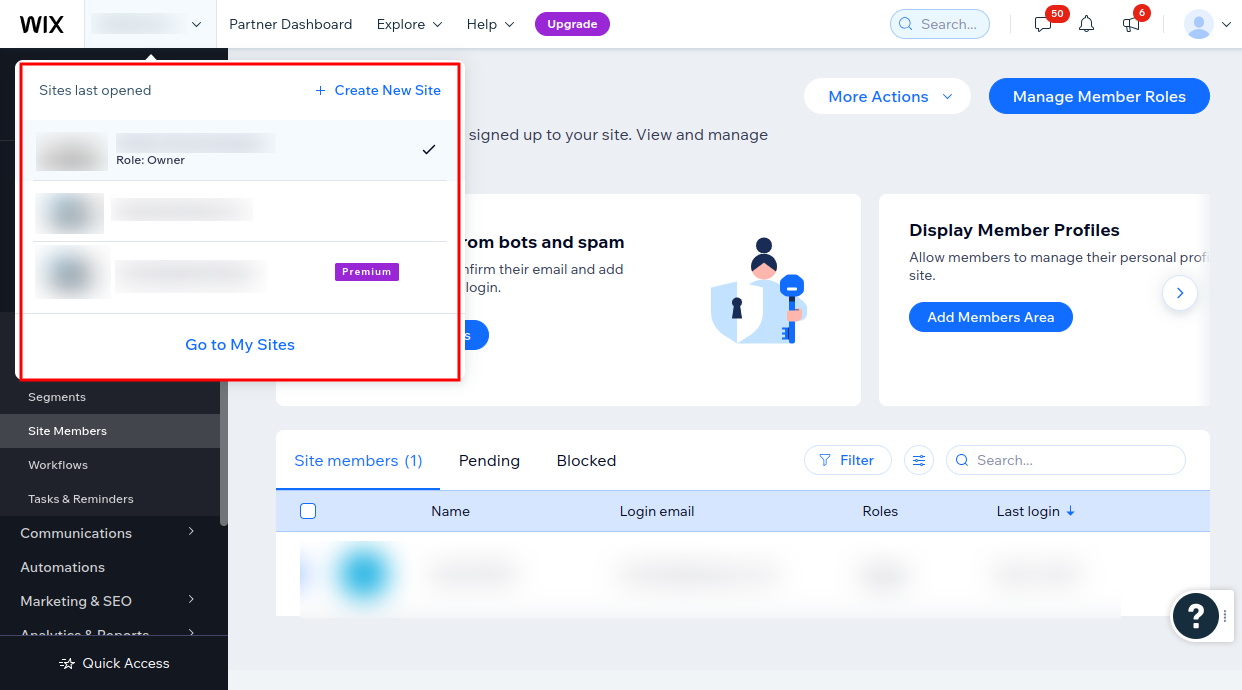
Select the website you wish to provide access for
Navigage to Settings > Roles & permissions
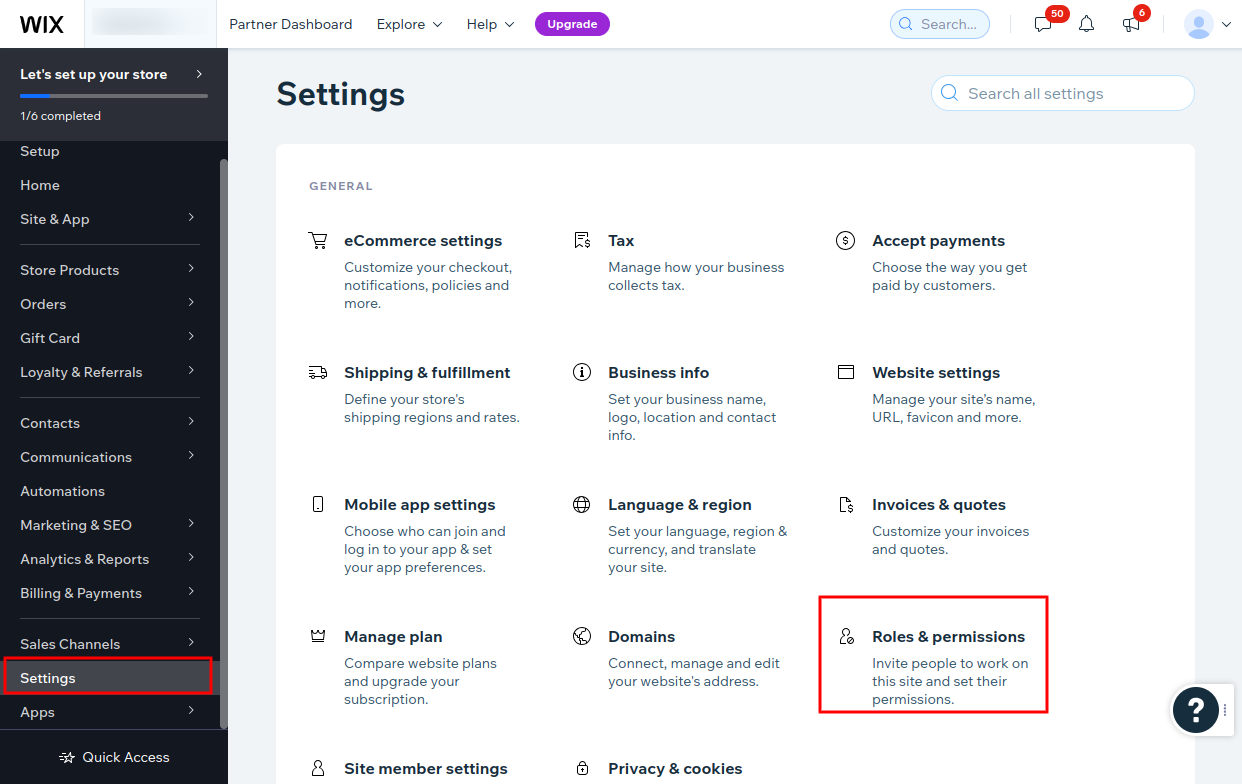
Navigate to Settings area in the left hand menu
Select “Roles & Permissions”
Navigate to Collaboration area
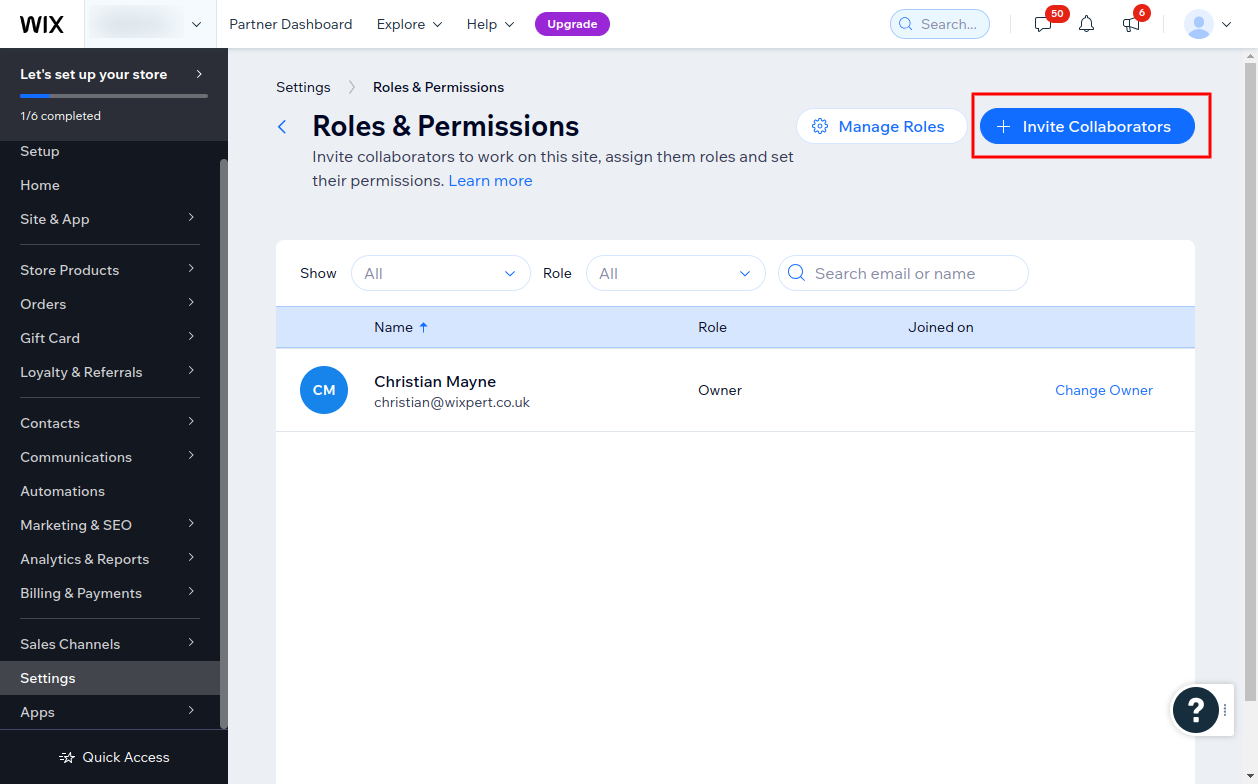
Select the “Invite Collaborators” button in the top right
Enter Collaborator Details
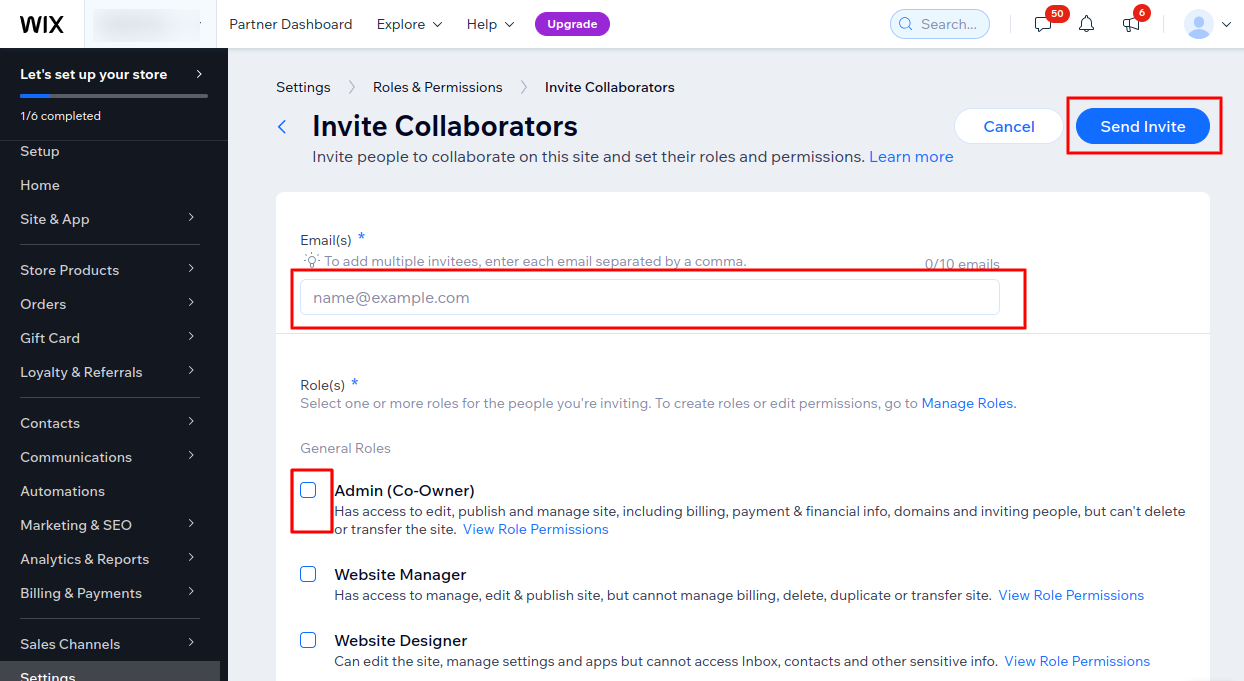
Add collaborator email address. Our Wix Experts all use wixpert.co.uk email addresses
Enter the Role you wish to provide. Admin is most useful, but if you are uncomfortable providing this level of access you can choose lower levels. We may not be able to assist in all areas without admin access. Remeber you can remove your Wix Expert at any time
Click “Send Invite”