
Login to your Google Ads Account
You can login to your account at ads.google.com
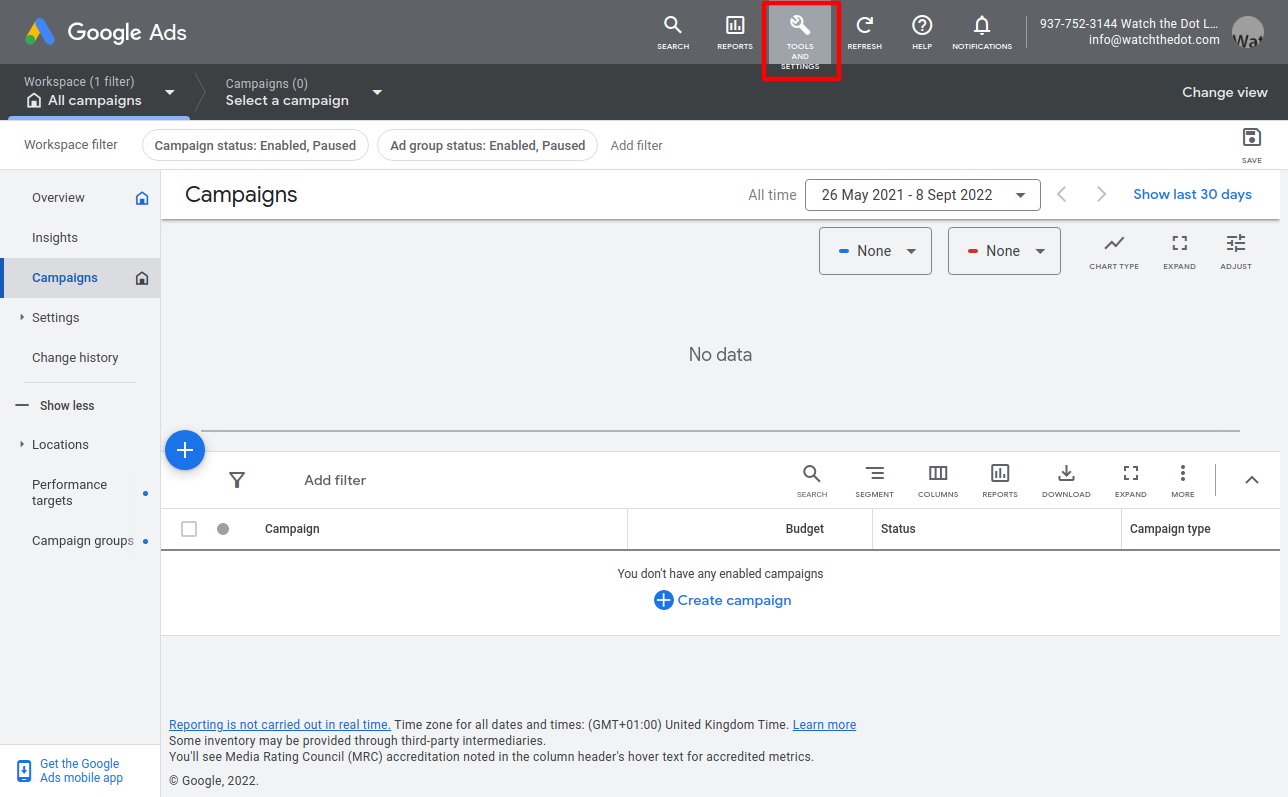
Select Tools & Settings
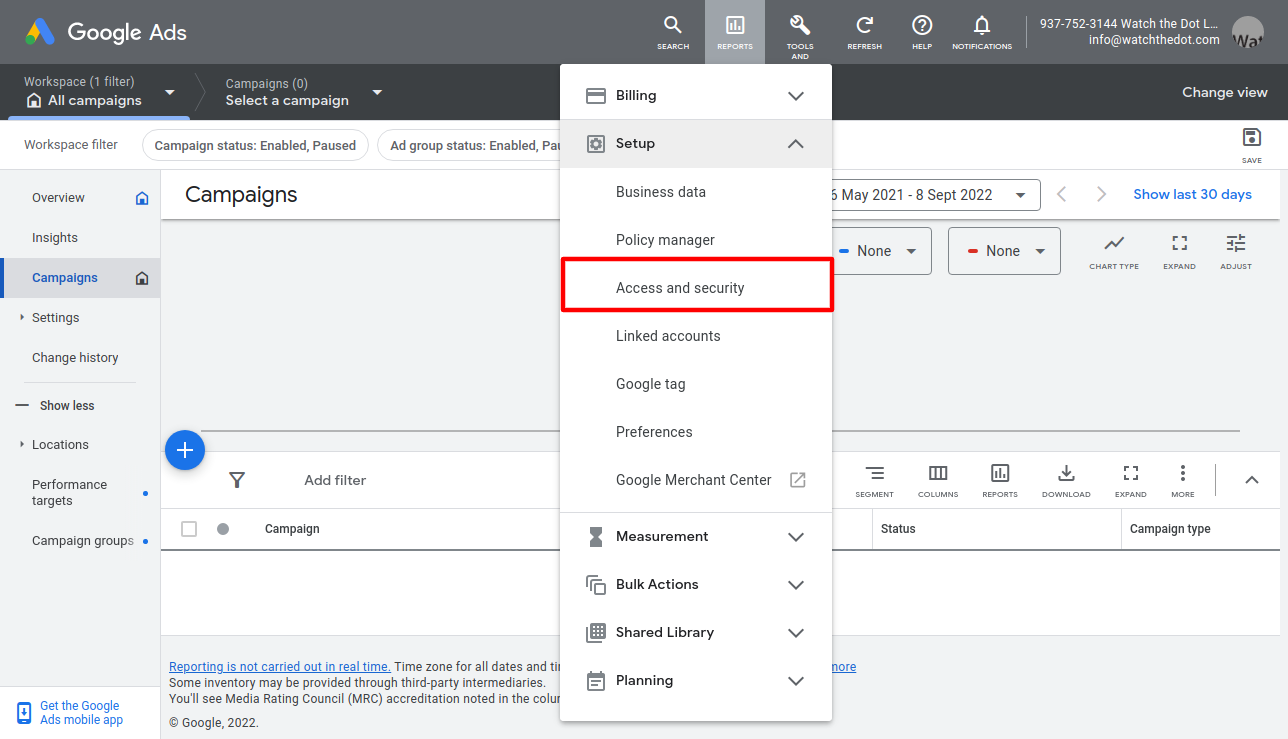
Select Access and Security from the dropdown menu
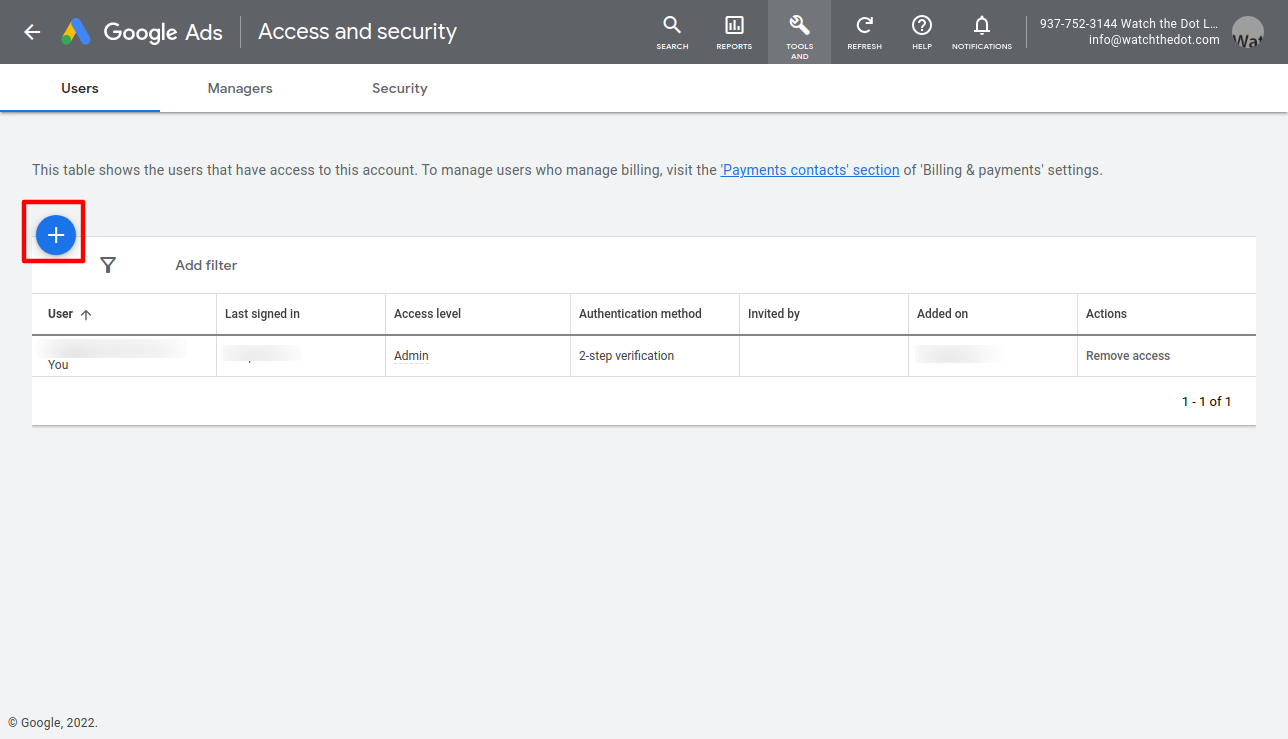
Click the large + icon
Invite the user
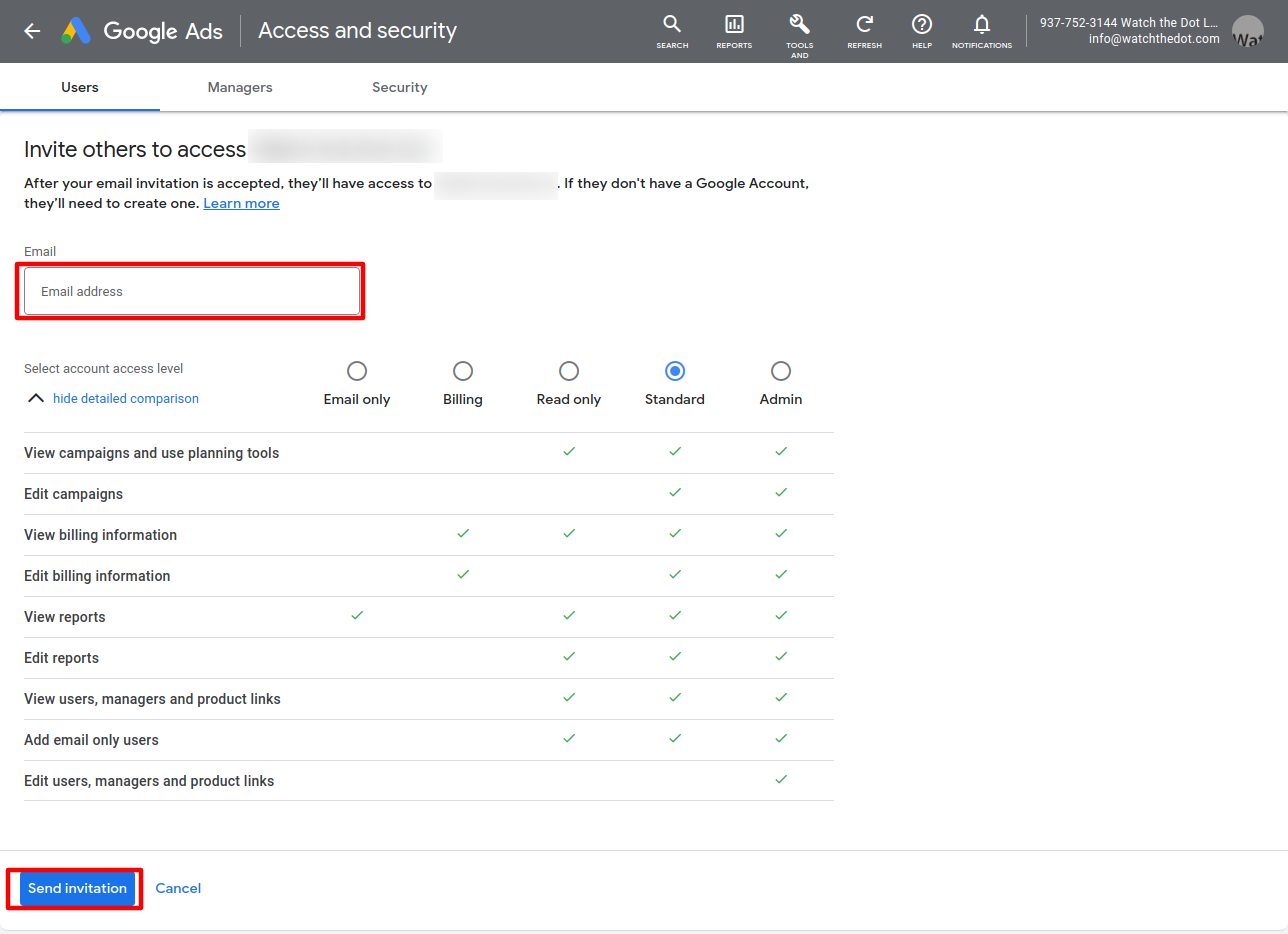
Enter the email address of the user you wish to access your account into the box provided. If you are asking us to assist with your account, this would be info@watchthedot.com
Select the permissions level. We recommend “Standard” if you are asking us to make changes to you account
Select “Send Invitation”
The user will receive an invitation via email which they will need to accept.