
The admin email address on your WordPress website is used to advise on site errors and is often also used as the default contact address for plugins (eg WooCommerce will use this for new order emails by default).
It’s important to make sure this email address is active and monitored. It’s not unusual for the admin email address to be the address of your web developer or old colleague.
Luckily, changing the admin email address is very simple
Login to your WordPress dashboard
You will need to login as an Administrator to change the email address
How to: How to Login to your WordPress Website
Navigate to Settings General
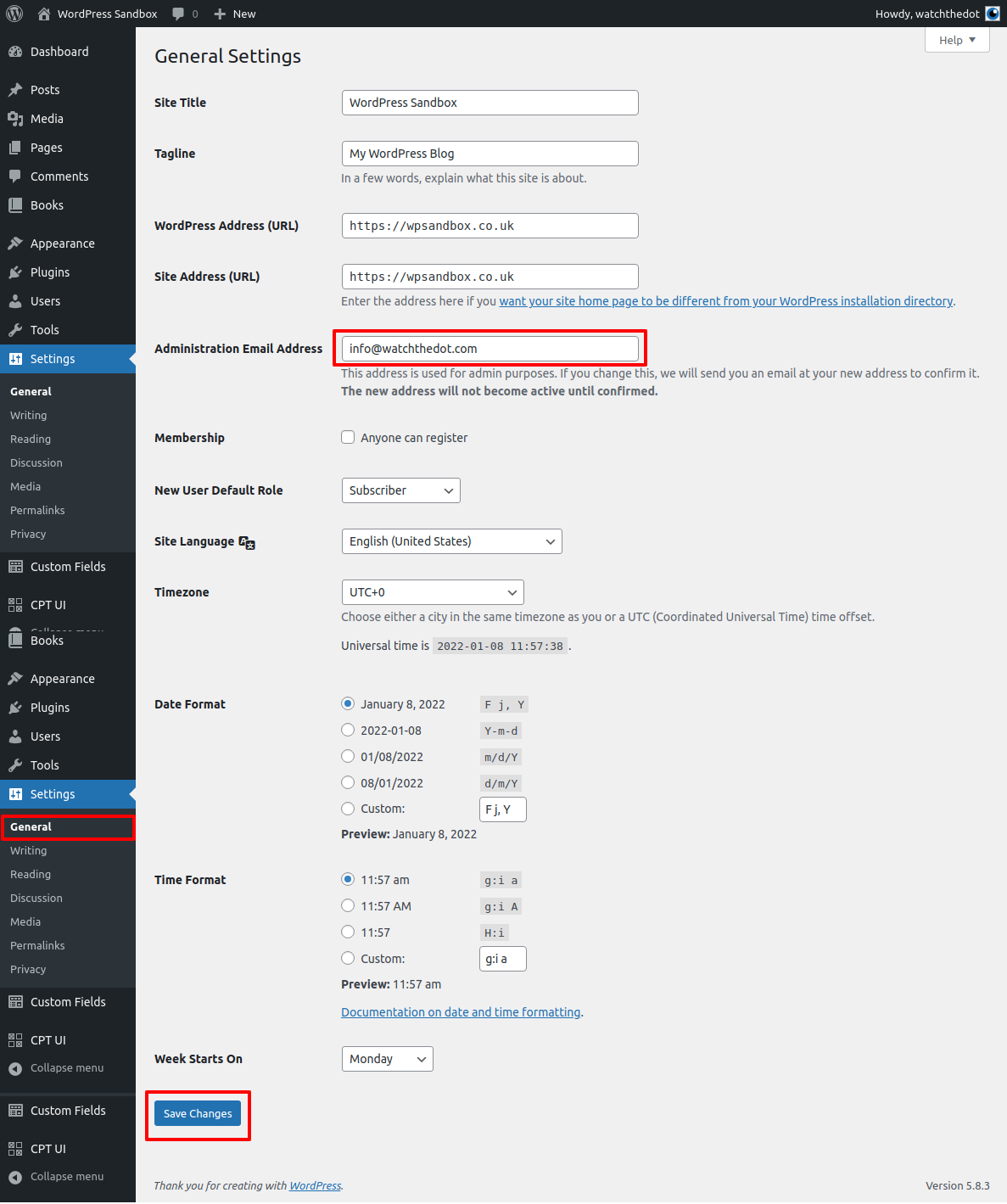
Navigate to General > Settings in the WordPress menu
Enter your new admin email address in the “Administrator Email Address” section. Note: the new address will not become active until confirmed.
Click “Save”
Confirm the Email Address
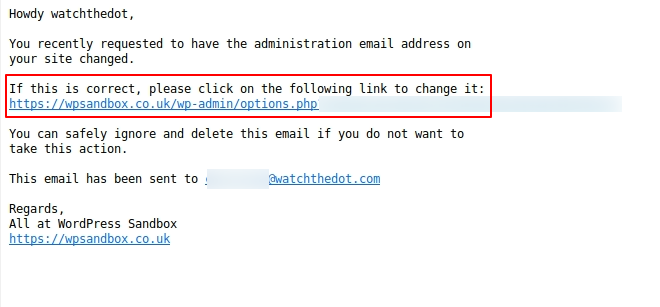
Check your email address
Click the link within the email
You will be redirected to the Dashboard where the new email address will now be set as the Admin email