
if you are using our standard eXtend hosting packages, you can easily setup a subdomain on your webhosting using the eXtend Control Panel. This will allow you to set up different website or webapps on teh same hosting account
For example:
- www.wtddemo.co.uk – Your main website and accessible using the www.
- intranet.wtddemo.co.uk – A custom web application accessible with a different subdomain.
Step 1 – Sign into your Watch the Dot Hosting Account
How to: Login to your Web Hosting account
Step 2 – Navigate to Web Tools
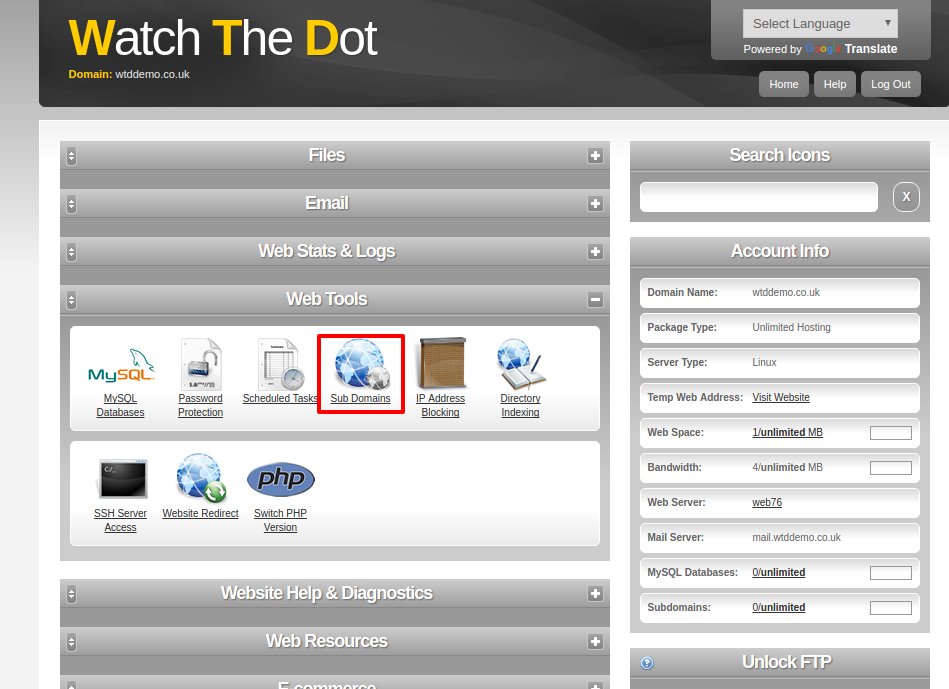
You can expand or collapse sections within your control panel using the +/- signs at the top of each section
Step 3 – Configure your subdomain
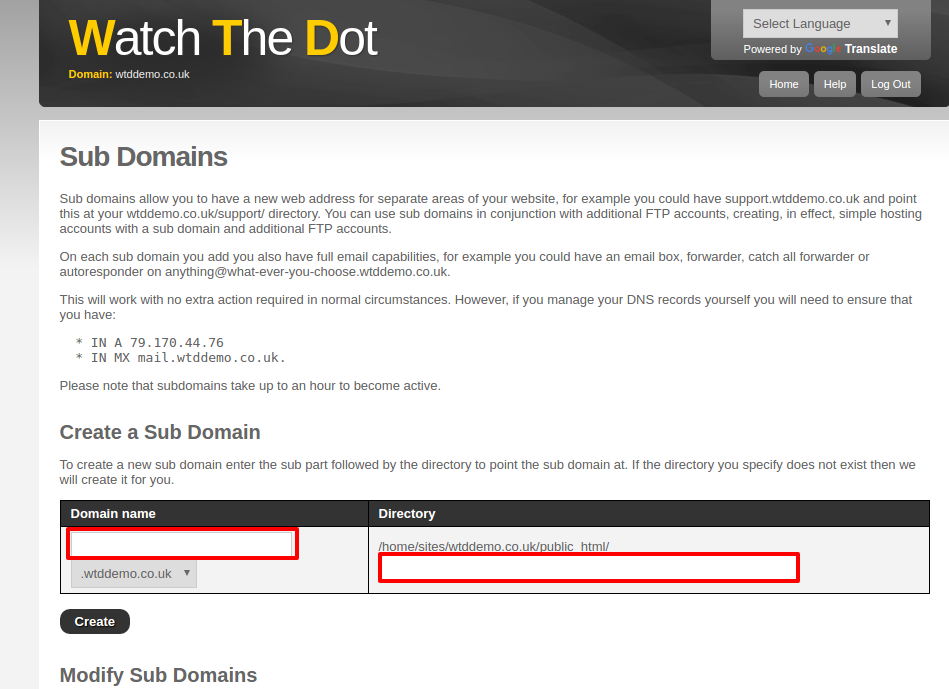
Type in your subdomain
Enter the directory where you want the additional website to reside. This will be beneath the public_html directory