
Step 1 – Sign into your Watch the Dot Hosting Account
How to: Login to your Web Hosting account
Step 2 – Navigate to Web Tools
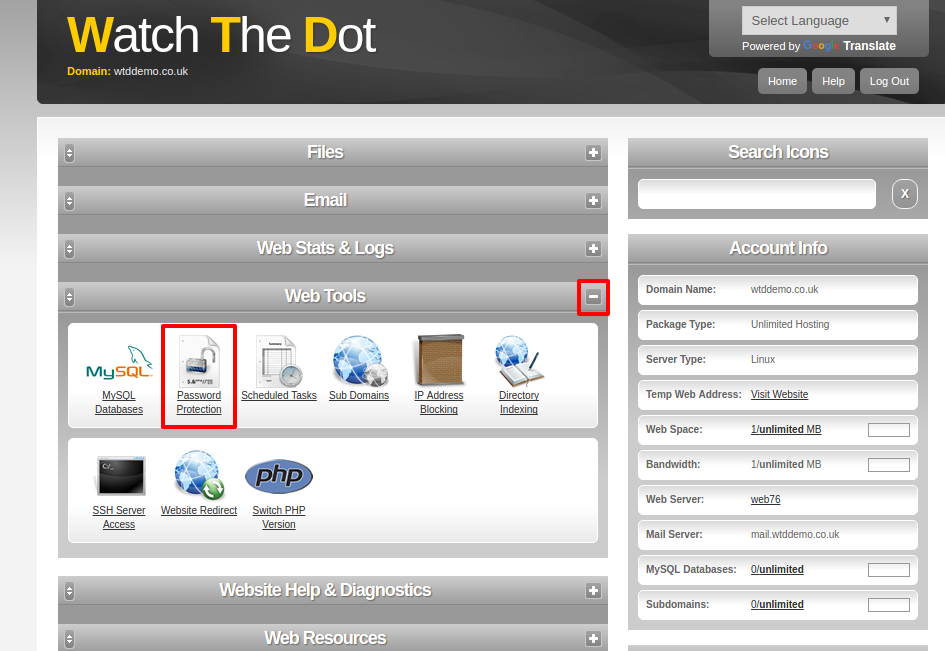
You can expand or collapse sections withinb your control panel using the +/- signs at the top of each section
Step 3 – Configure Password Protection
Select the Password protection icon
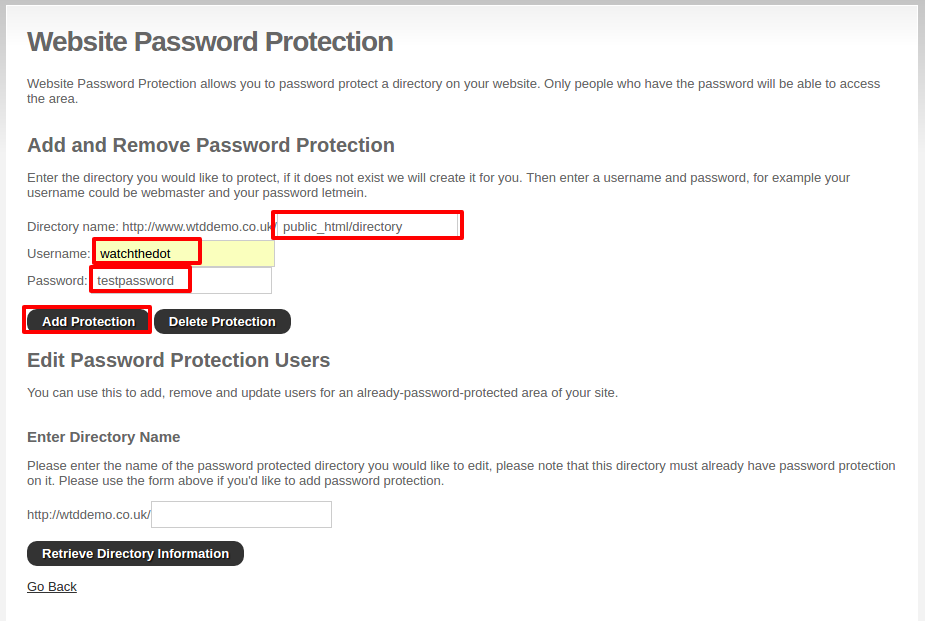
Enter the directory name
Enter a new username
Enter a new password
Select Add protection