
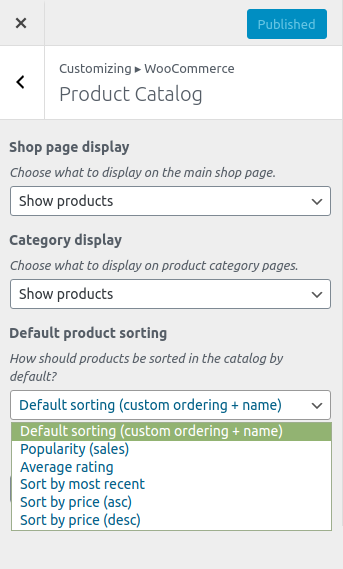
Ordering WooCoomerce products within the product catalogue (Shop, Category and tag pages) is quite straightforward.
Set Sort Order in the WordPress Customiser
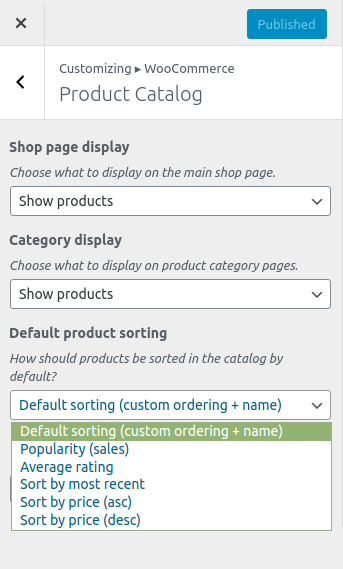
- Navigate to
Appearance > Customise - Select
WooCommerce - Select
Product catalogue - In
Default product sorting, select your order preferences, there are several options, most of which are self explanatory Default sorting (Custom ordering + name) Popularity (sales) Average rating Sort by most recent Sort by price (asc) Sort by price (desc)
What does “Default sorting (Custom ordering + name)” mean?
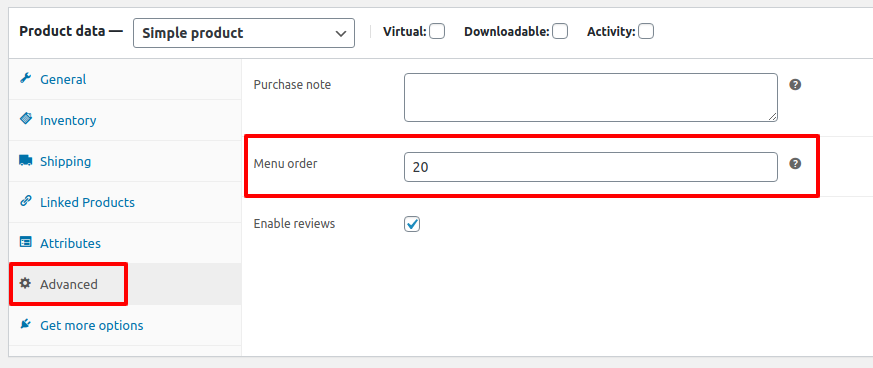
Under Product data > Advanced is an entry field: Menu order . By default this is set to 0 (zero).
- Any products with the menu order set to 0 will appear first, ordered alphabetically by Product Title.
- Remaining products will be ordered by menu order
Default product sorting example
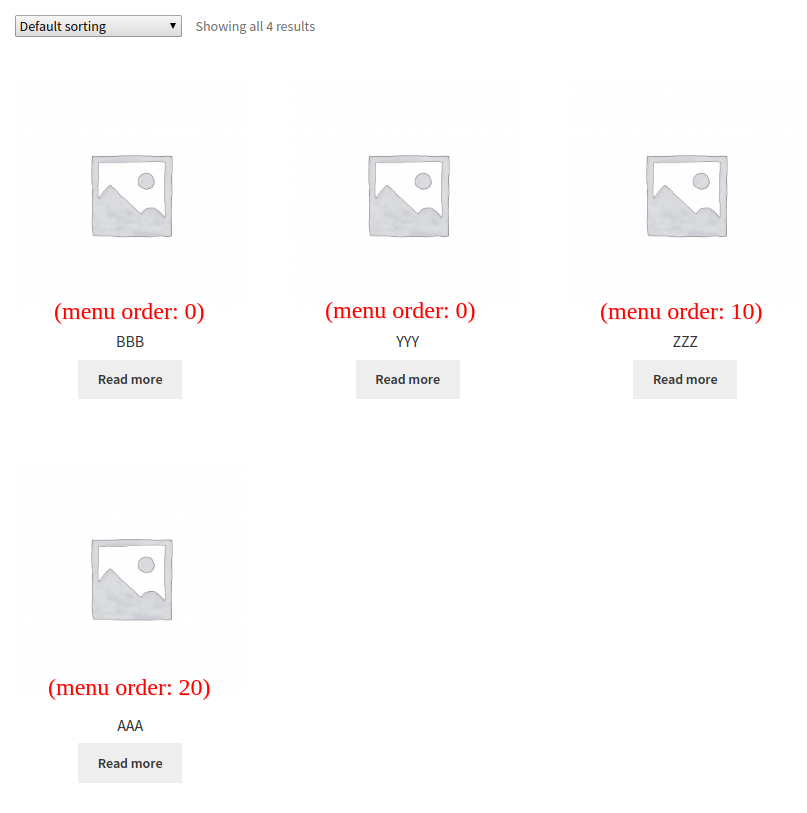
The example above uses Default sorting (Custom ordering + name)