
If your WordPress website is not sending emails, you will need to configure it to do so. The easiest way to do is to tell your WordPress to send emails via SMTP using a send mailbox you have access too. This is easily done using the popular plugin WP SMTP from WP Forms.
This plugin also supports sending emails using Google Workspace and other email providers.
Note, you will need to have the server and login details for an SMTP mailbox
Login to Your WordPress Website
How to: How to Login to your WordPress Website
Install WP Mail SMTP Plugin and Activate
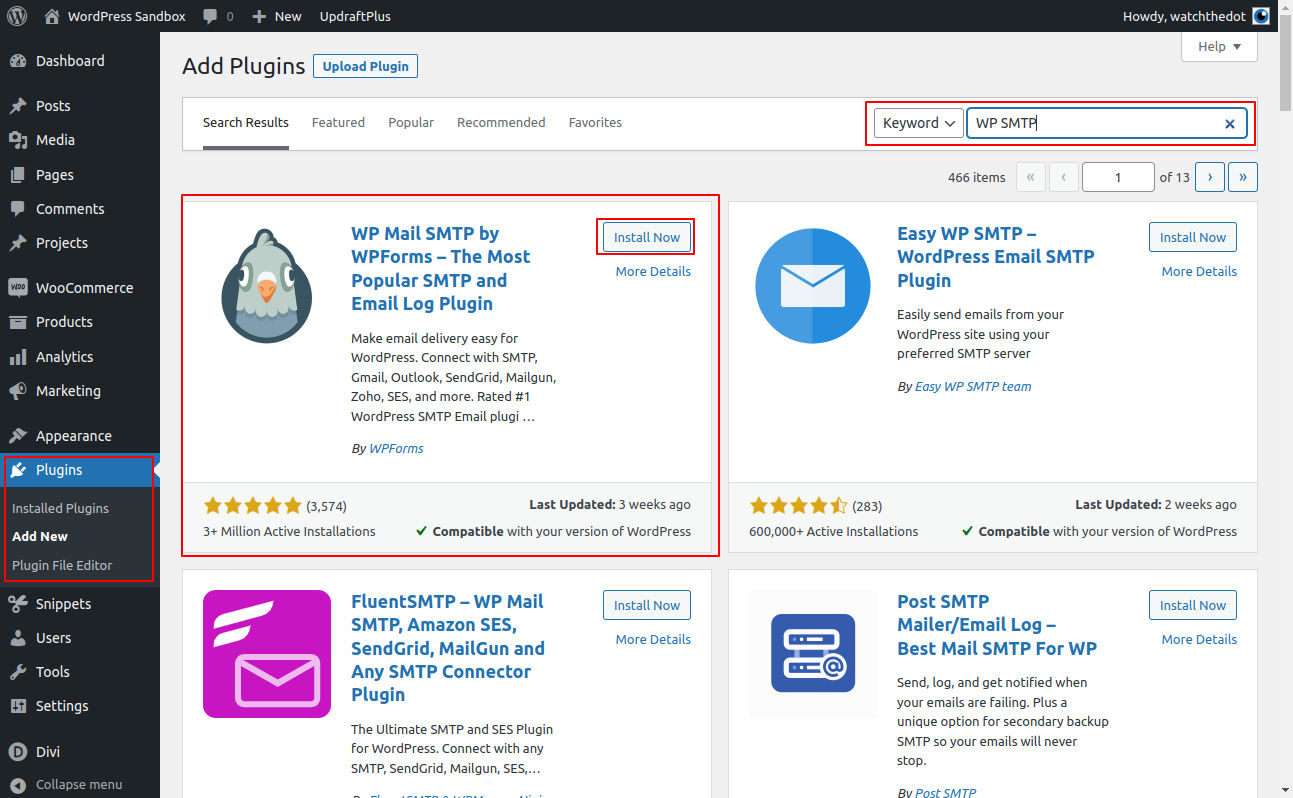
Navigate to Plugins in the left hand menu
Select Add New
Search for WP SMTP
Locate the plugin and click ‘Install’
Once installed, click ‘Activate’
Configure the SMTP Settings
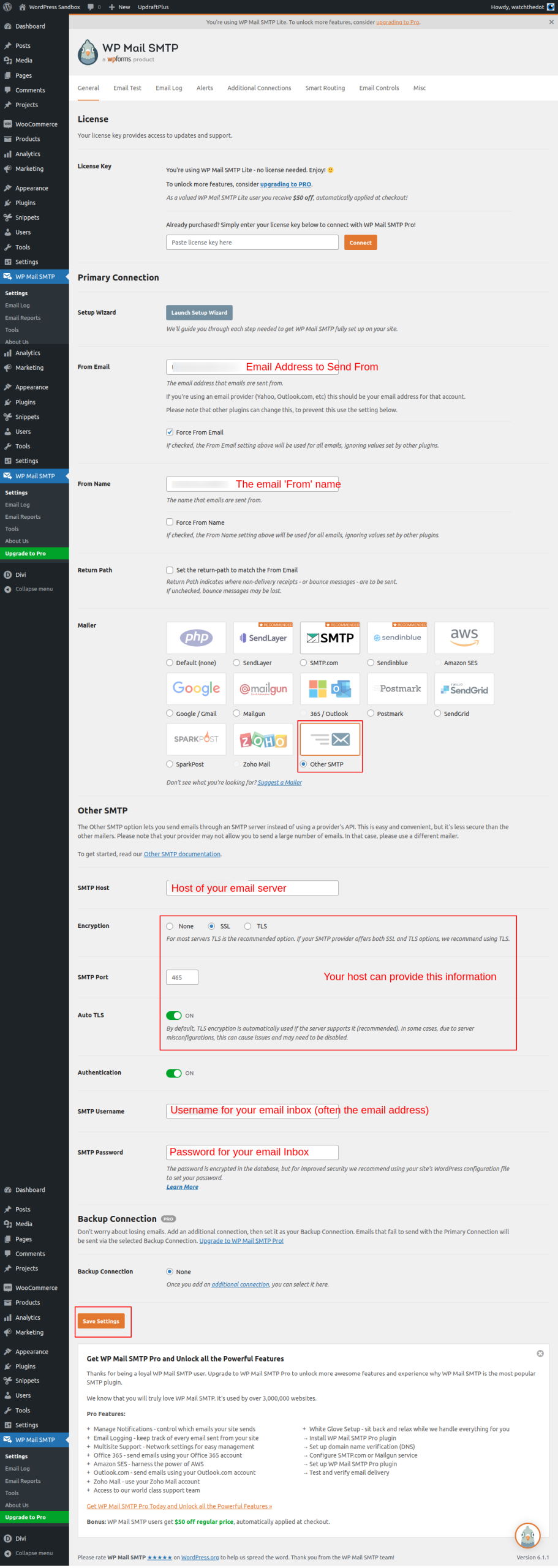
Navigate to WP SMTP in the left hand menu and select ‘Settings’
Enter your mail box information as shown in the image. Your webhost / email provider can provide this information
Click Save
Send a test email
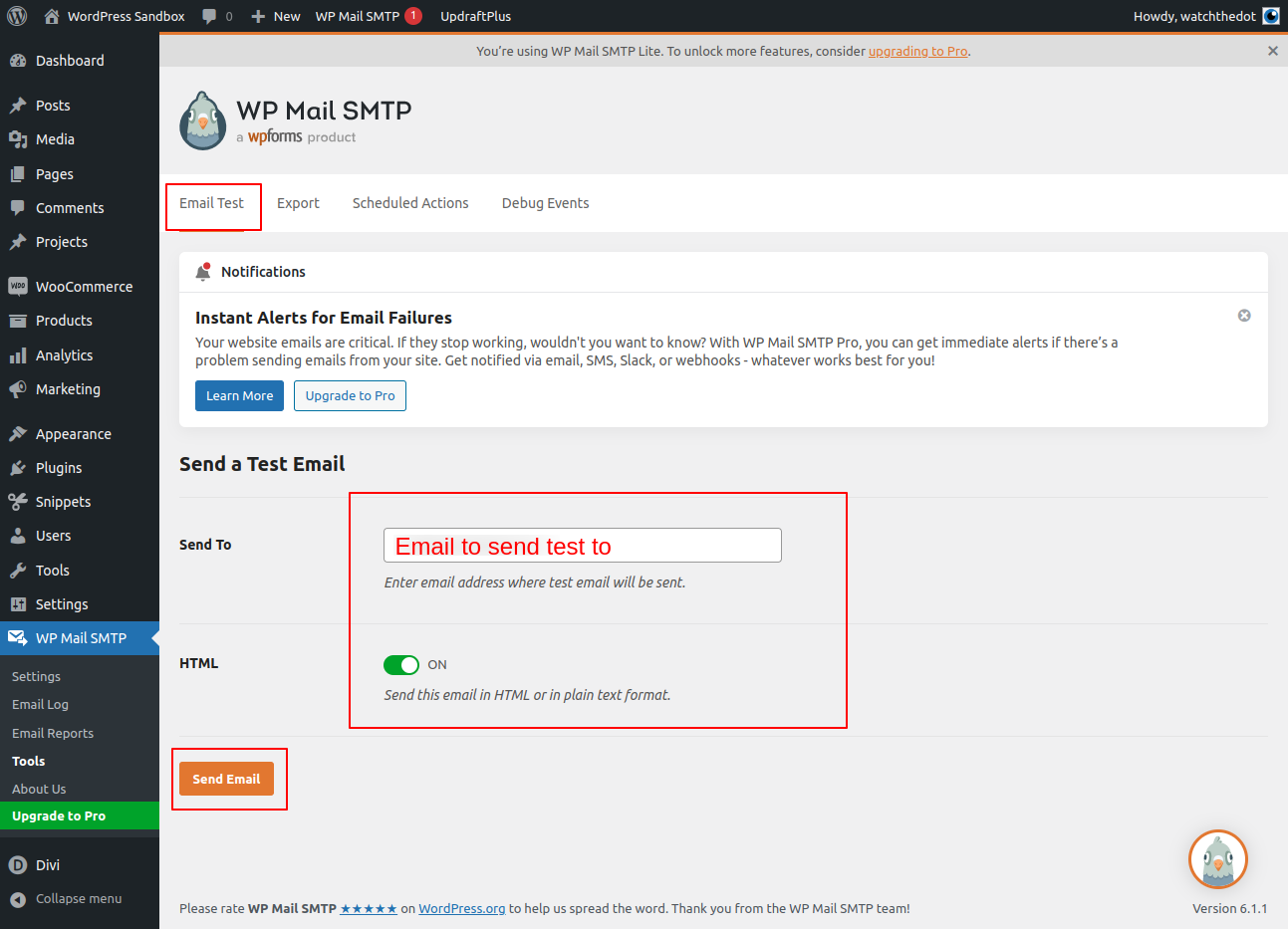
Send your self a test email using the Test tab
If the email does not send successully, the error message will usually provide some useful clues. Most often, this is an incorrect password or server details.
If the email does send, but does not arrive, check your spam folder
If you still have issues, click on the button below to order our premium fixed cost support service
Want us to do it for you?
Order our paid support product