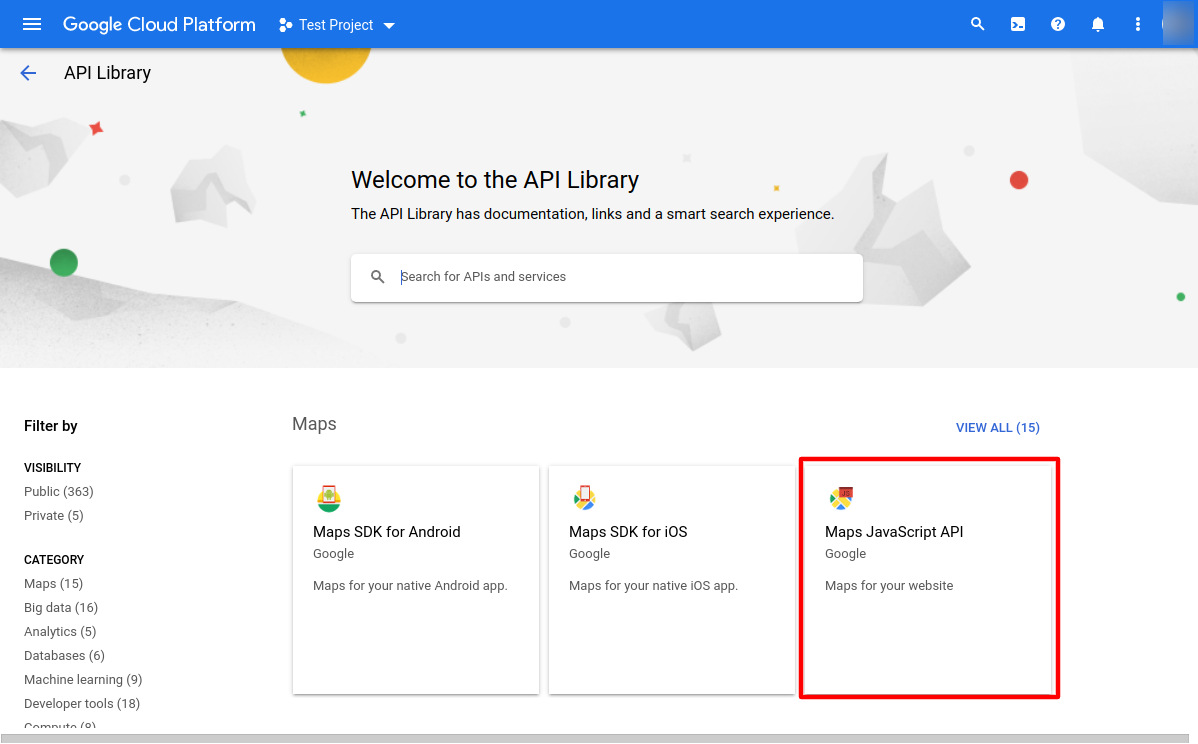
To Embed Google Maps within your WordPress website for popular themes such as Divi, you will usually need the Google Maps Javascript API and Geocoding PAI enabled.
Aquire a Google API Key
How to: Create a Google API Key
Login to the Google Cloud Platform and navigate to the API Library
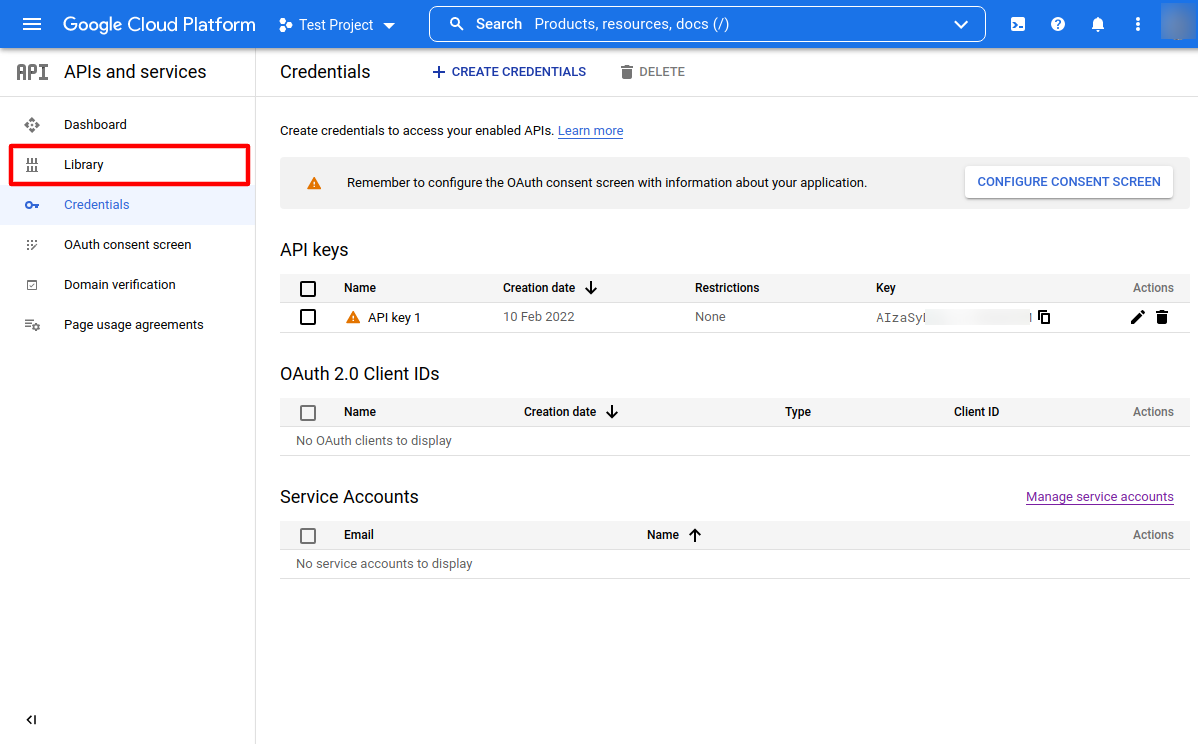
You can access the Cloud Platform here: https://console.cloud.google.com/
Select Maps Javascript API
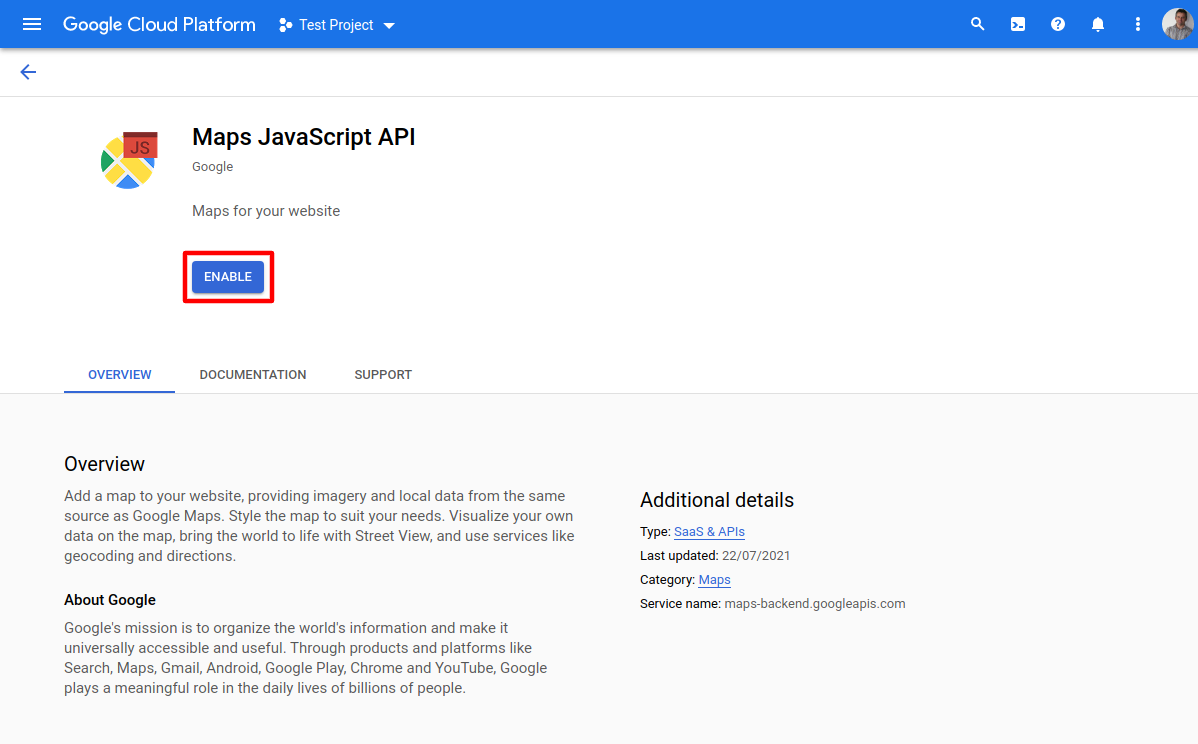
Select Enable
Search for and Enable the Geocoding API