
This article describes how to get all the information required in order to setup PayPal payments through the first-party WooCommerce Gateway plugin.
Watch The Dot prefers the manual credential input method since we have encountered problems with the automatic method in the past.
We need to collect the following information:
- Live Merchant ID
- Live Email Address
- Live Client ID
- Live Secret Key
Quite confusingly, this information is found in 2 different locations.
Login to your Paypal account
Merchant ID: Go to Account Settings
Hover over your name in the top right, and click Account Settings
Merchant ID: Go to Business Information
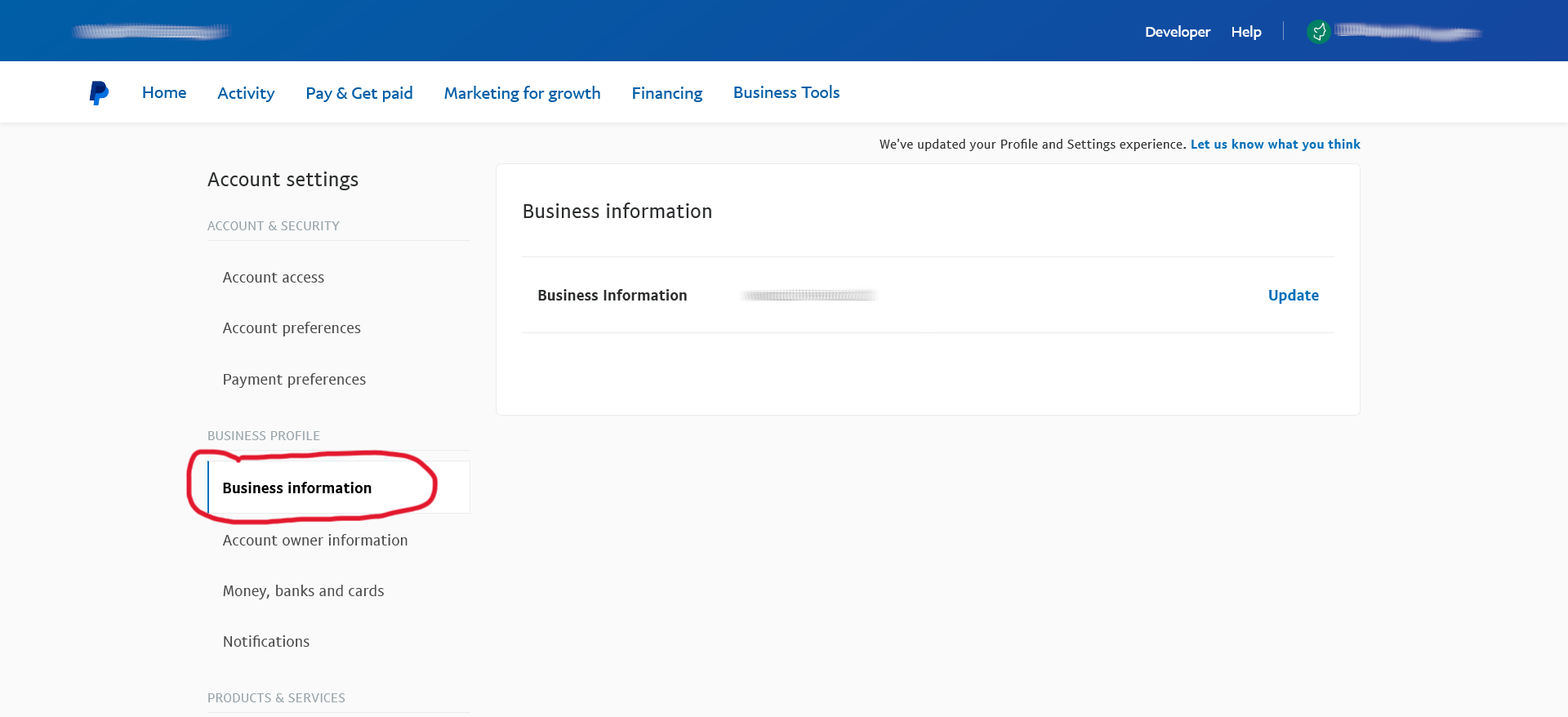
Click on the business information page and your merchant ID should be visible on this copy. Copy and Paste this into a text file. (The image will be updated with an example with Merchant ID soon)
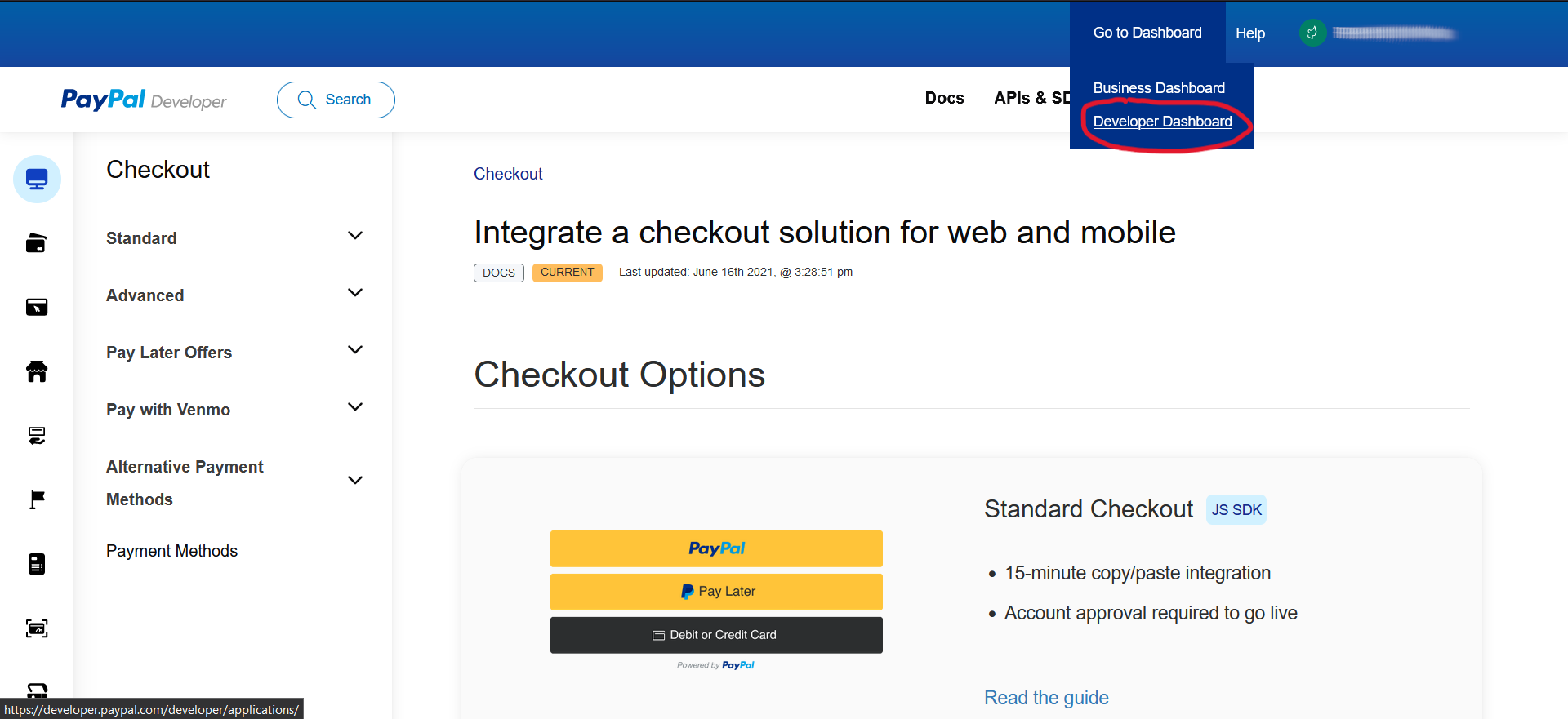
Click Developer in the top bar
Click Developer Dashboard on the “Go to Dashboard” Dropdown
Click Live on the toggle and click Create App
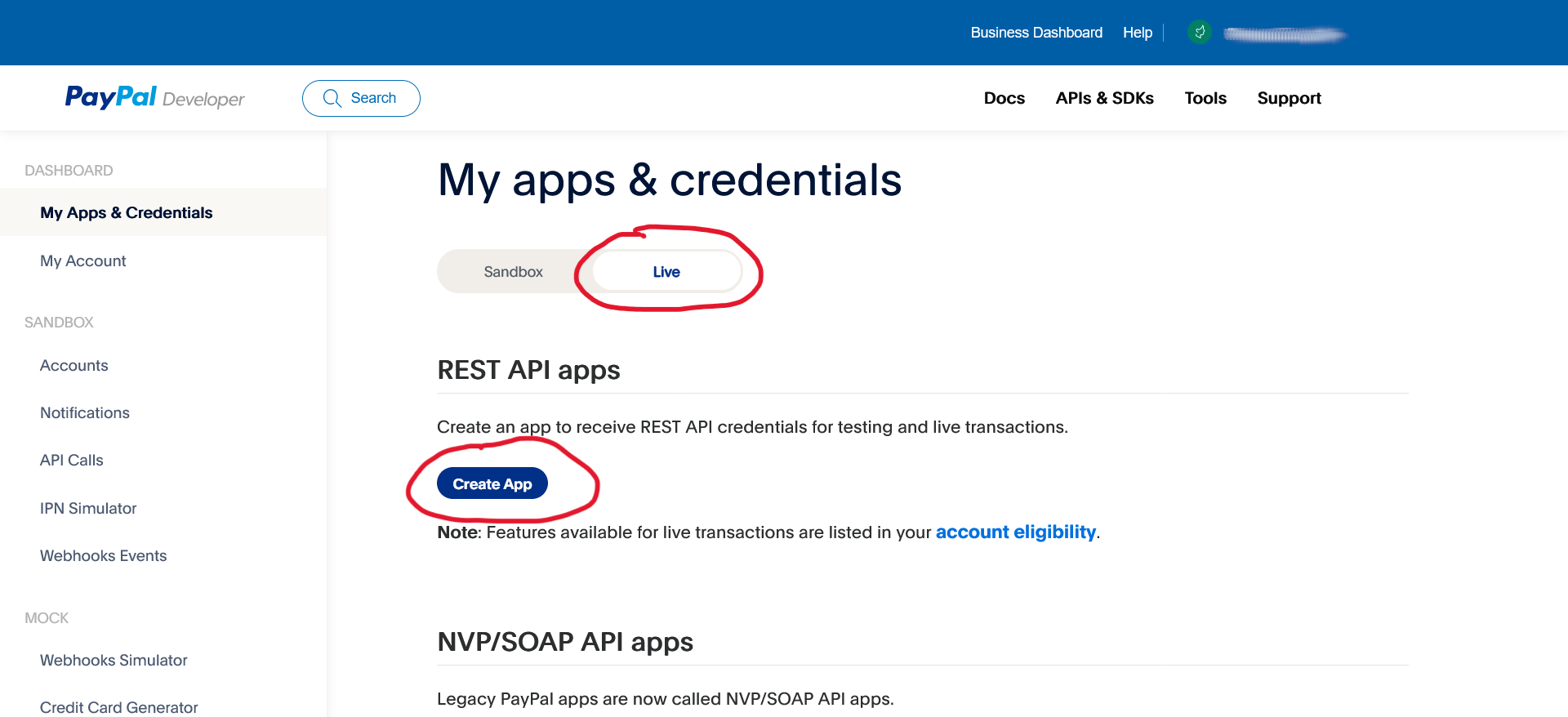
We need to create a set of live API keys. Sandbox keys will not be able to process real transactions.
Name your App
Give your live application an identifiable name. When setting this up, we tend to use WooCommerce.
Live Email Address: Copy your PayPal Account email address
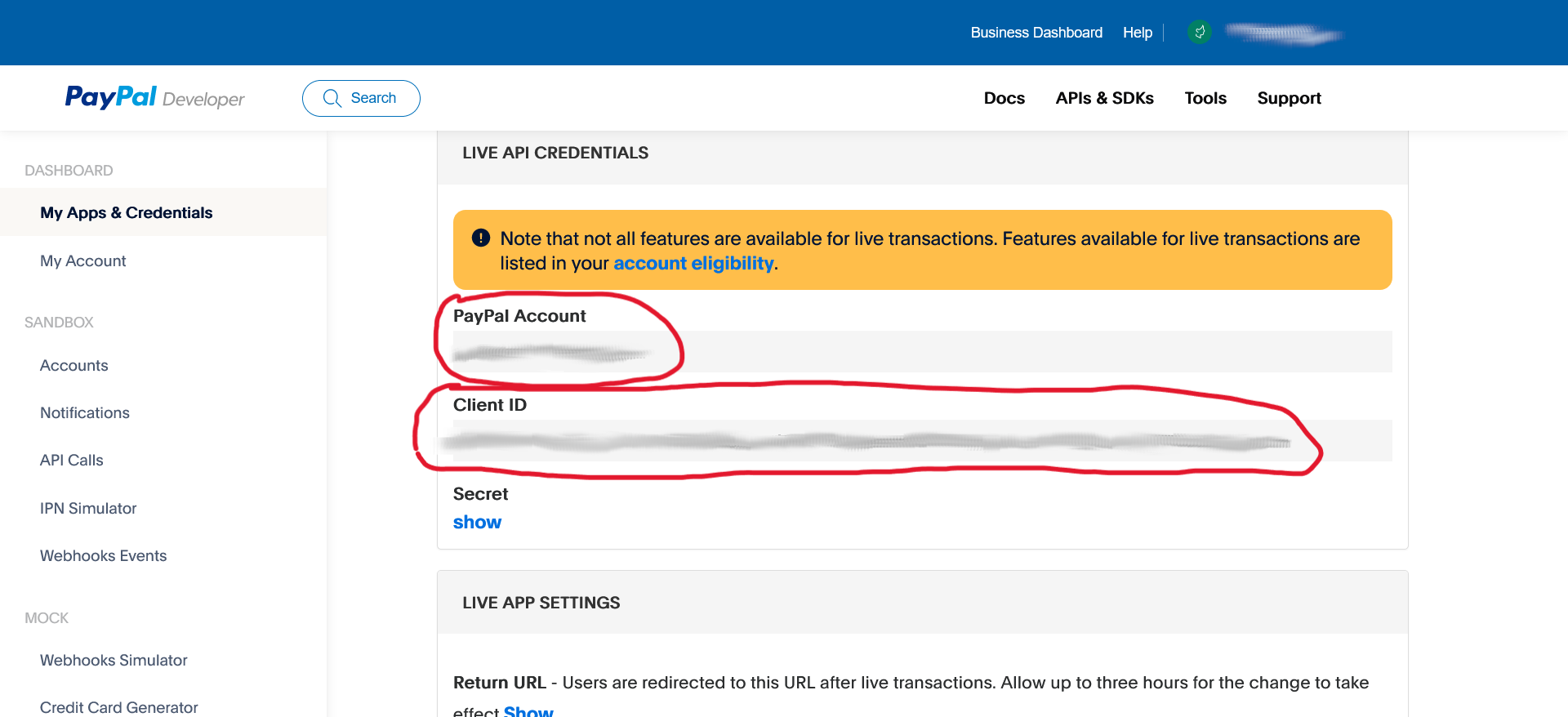
Copy and Paste this into a text file.
Client ID: Copy the whole key
Copy and Paste this into a text file.
Secret Key: Click Show and copy the key
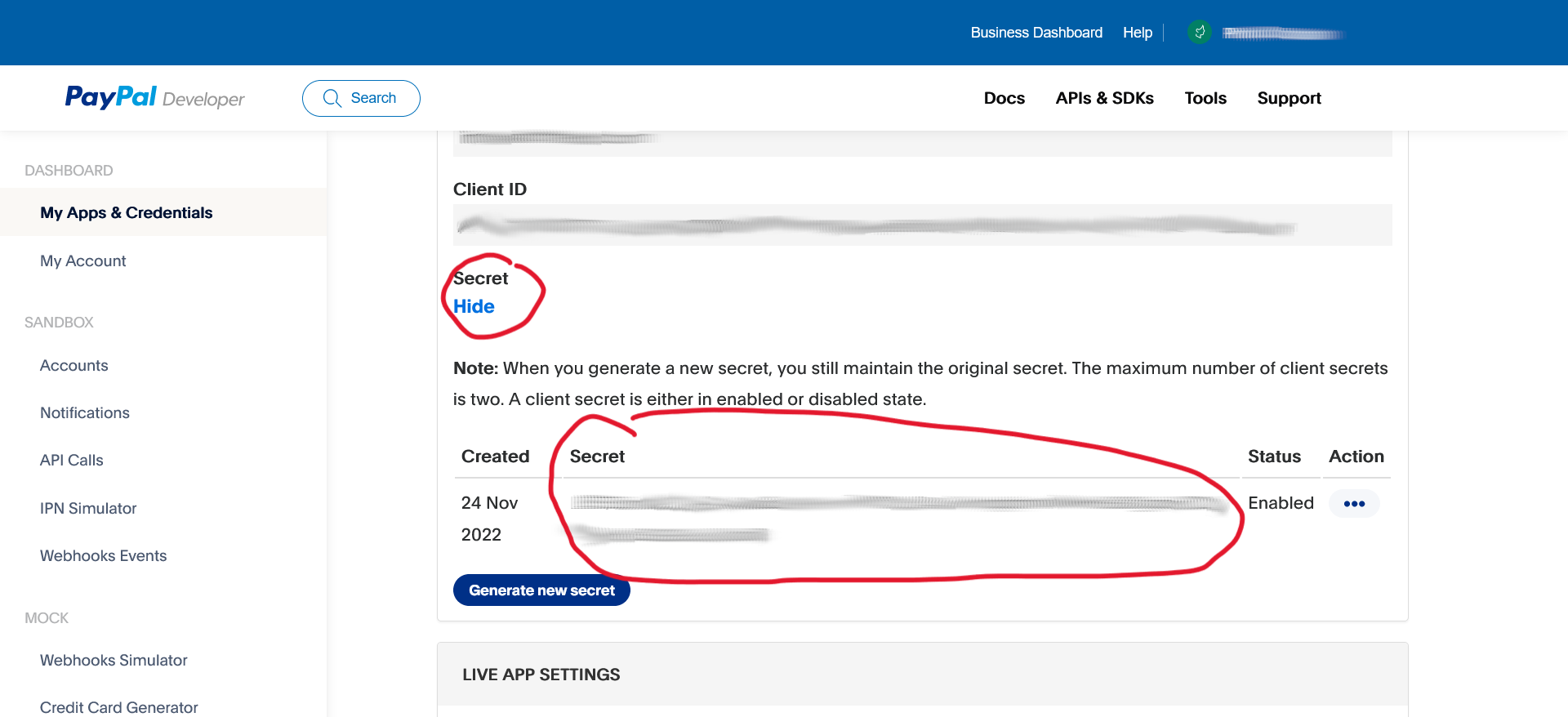
Copy and Paste this into a text file.