
The easiest way to disable a Page, Post or other content on your WordPress website is to set the status to Draft. There are a few of ways of doing this but the easiest way is from the WordPress Page or Post index. In this tutorial we will use Posts, but the method is the same regardless of the content type.
Login to your WordPress Dashboard
How to: How to Login to your WordPress Website
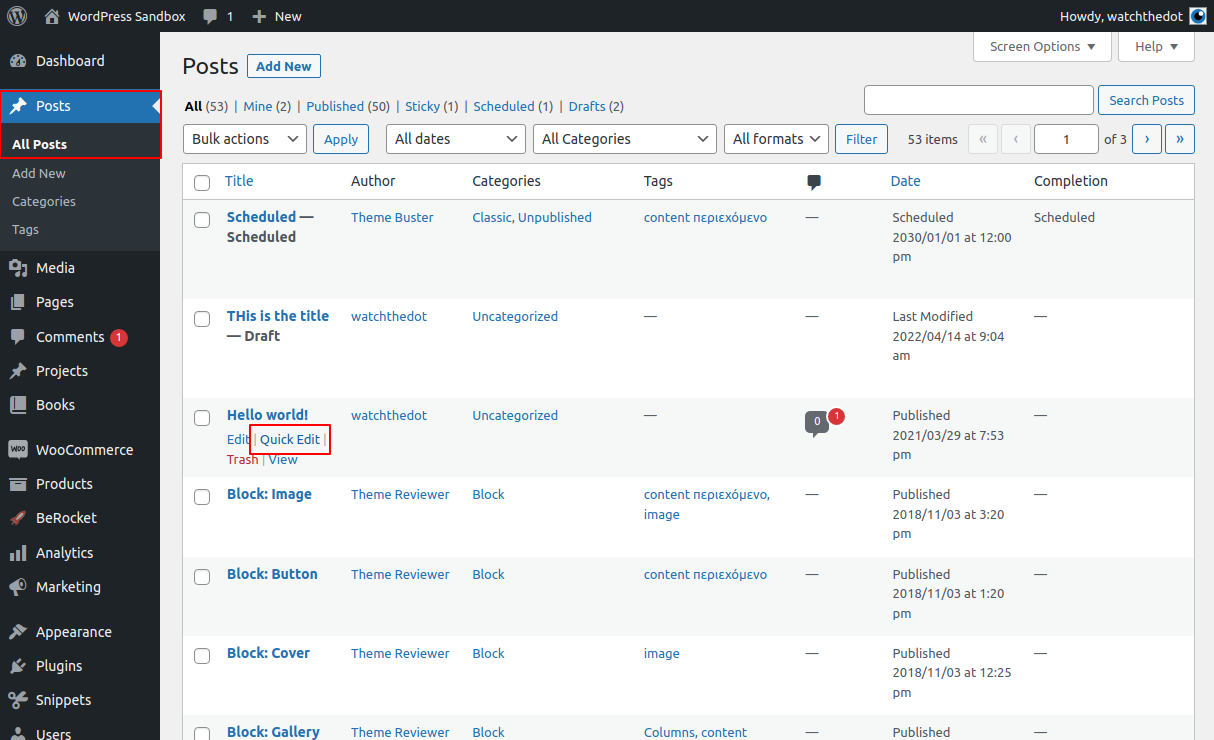
Navigate to the post Index Page and access Quick Edit
To make this change, your user will need to have the relevant WordPress permissions level.
From the Dashboard select Posts > All Posts
Navigate to the post required, hover over the title. This will expose the Quick Edit menu
Select Quick Edit
Change Status to Draft
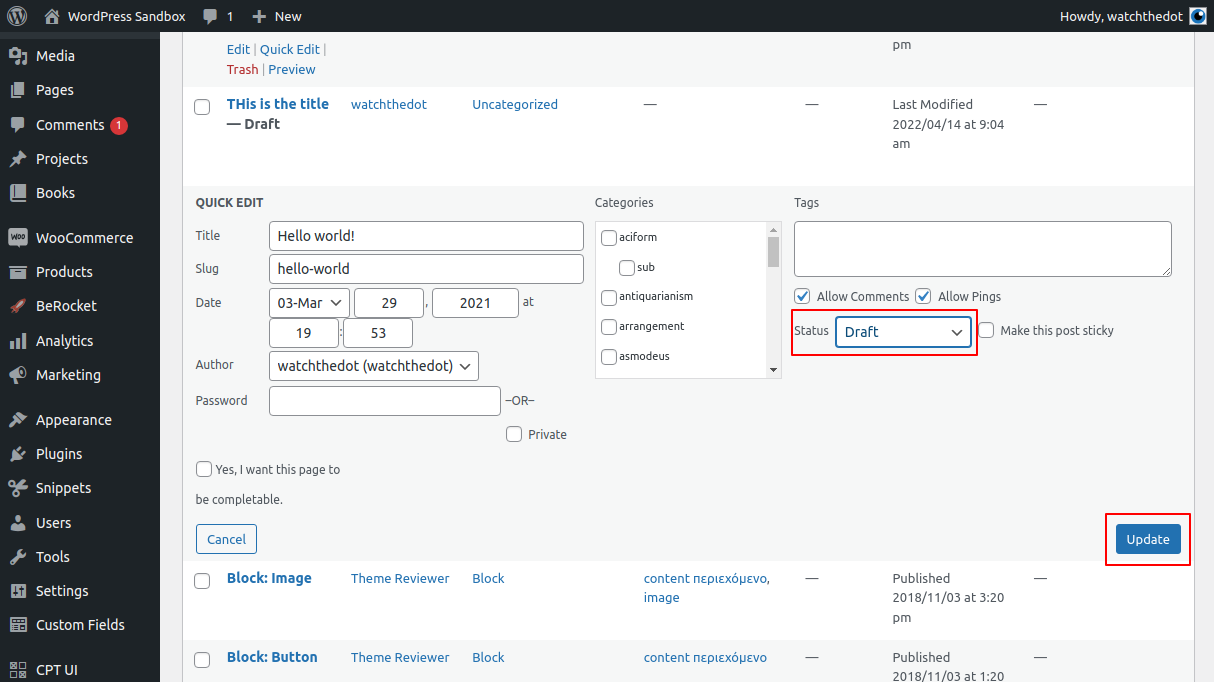
Select ‘Draft’ in the Status drop down
Click Update
Important to remember:
Your post may still be indexed by Google or linked to by other sites on the internet. We recommend setting up 301 redirects to point the URL of the old page to a new location.